PSA Birth Certificate: Complete Guide 2026

Getting a PSA birth certificate is one of those things every Filipino will deal with at some point whether it’s for a passport, a new job, or enrolling a child in school. The process has changed a lot over the years, and knowing your options online or walk-in can save you a lot of time and stress.
Having helped guide many people through this process, one thing is clear: the biggest mistakes happen when people show up unprepared or use the wrong platform. This guide walks you through everything, from what the document actually is to how you get it delivered to your door.
What is a PSA Birth Certificate
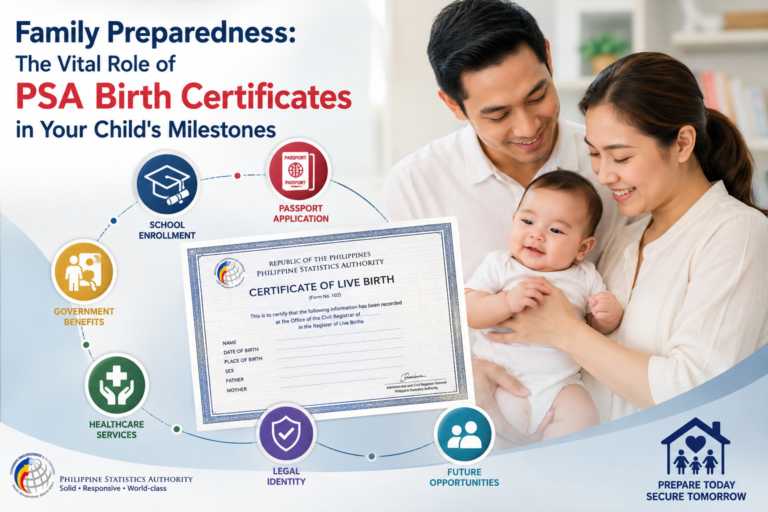
The PSA birth certificate is an official document issued by the Philippine Statistics Authority. It records your full name, gender, place of birth, date and time of birth, and your parents’ basic information all printed on PSA’s official security paper.
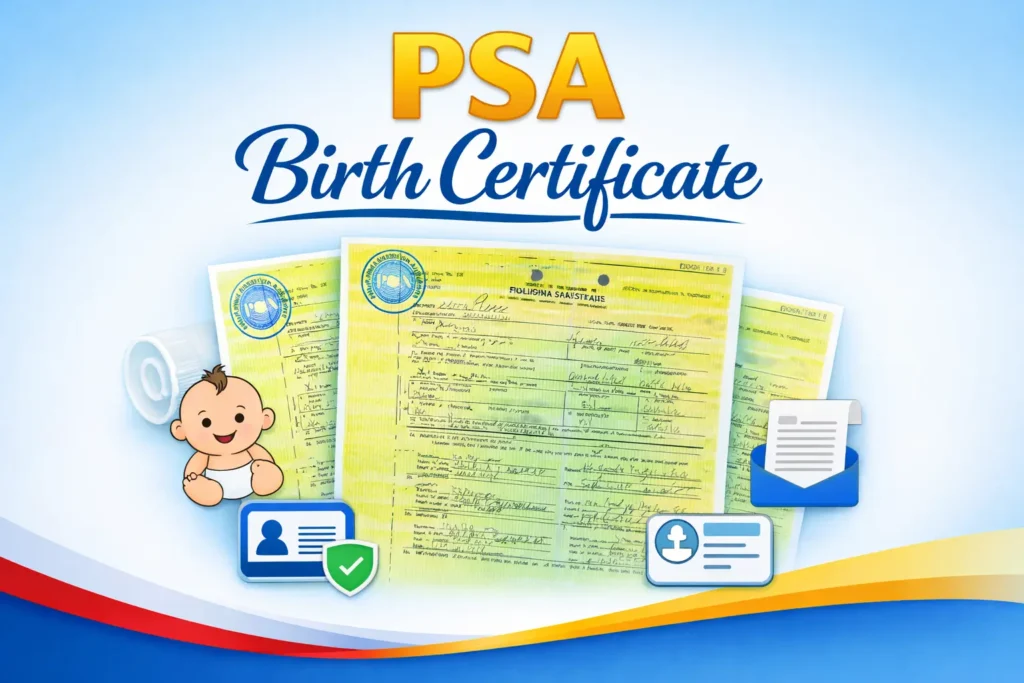
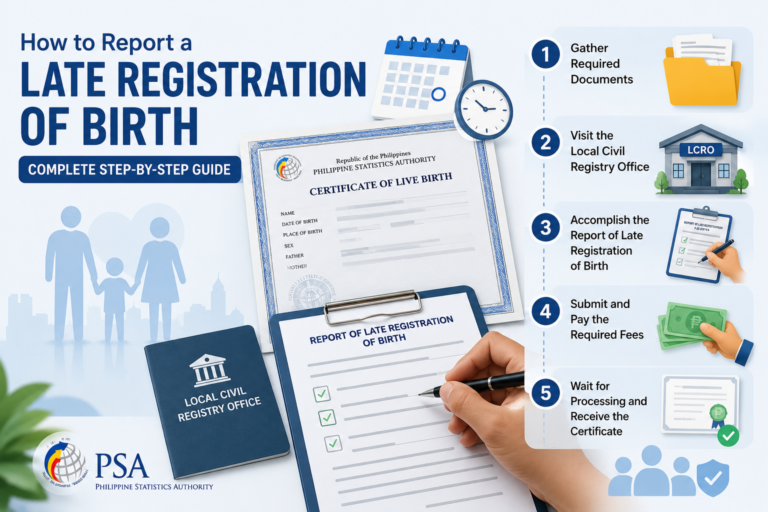
Here’s how it gets to the PSA in the first place: when a child is born, the doctor or any authorized medical staff files a report with the Local Civil Registry Office (LCRO) of the city or municipality where the birth occurred. The Certificate of Live Birth is then endorsed by the LCRO to the PSA for certification, printing, and entry into their digital and paper archives. Without this registration, no birth record exists in the PSA system.
When Do You Actually Need a PSA Birth Certificate
You will need your PSA birth certificate more often than you think. Here are the most common situations:
- Passport and Visa Applications: The Department of Foreign Affairs (DFA) requires a copy that is not older than six months from the date of payment, whether you are applying for a new passport, going through renewal, or submitting visa documents.
- School Enrollment and Graduation: Most schools, colleges, and universities ask for it upon enrollment, especially for new students and college freshmen.
- Local and Overseas Employment: Whether applying for your first job or going abroad as an OFW, employers and government agencies require it as proof of identity and age.
- Marriage License Application: You cannot apply for a marriage license without it. It verifies your civil status and legal age.
- Health Insurance and Government Benefits: Applying for PhilHealth, SSS, or GSIS state-issued benefits usually requires birth documentation.
- Financial and Legal Transactions: Loan applications, inheritance claims, and legal proceedings all rely on it as proof of identity and lineage.
Pro Tip: Request your birth certificate early, especially during peak seasons when walk-in slots fill up fast and processing times stretch longer than usual.
Why Is a PSA Birth Certificate Important?
A birth certificate is more than just a record of your birth it is a valuable piece of identification that establishes your legal capacity to enter into a transaction or execute a contract. Most official and government-issued IDs, legal documents, and civil processes trace back to it. Here is a quick list of the most common purposes:
- Passport and travel purposes
- Driver’s license, national ID, and other government-issued IDs
- School requirements
- Local and foreign employment
- Claims and benefits
- Marriage
- Loans
PSA Online Application Procedure Explained
Getting your PSA birth certificate online through PSAHelpline.ph is straightforward. Here is how it works step by step:
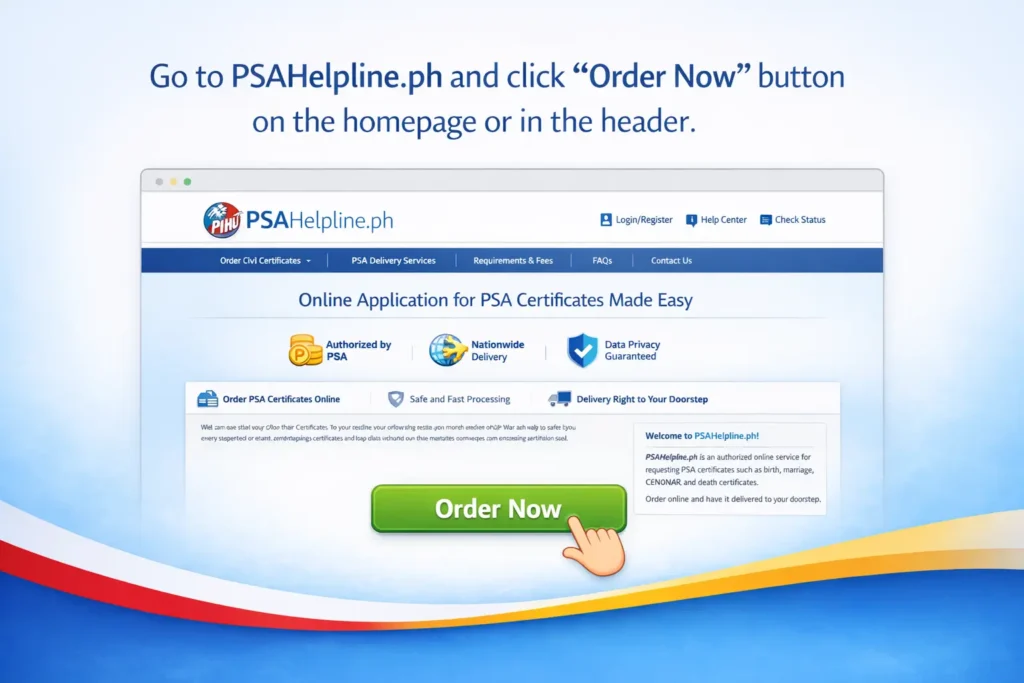
Step 1: Go to PSAHelpline.ph and click the “Order Now” button on the homepage or in the header.
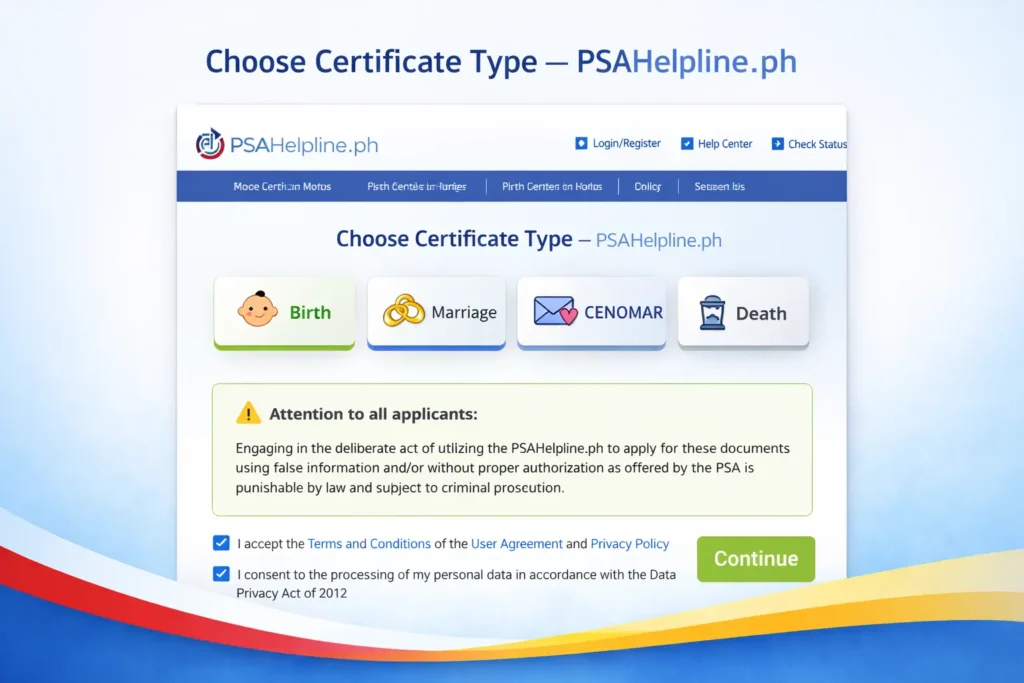
- Step 2: Click the “Birth” button, accept the terms and conditions, then click “Continue.”
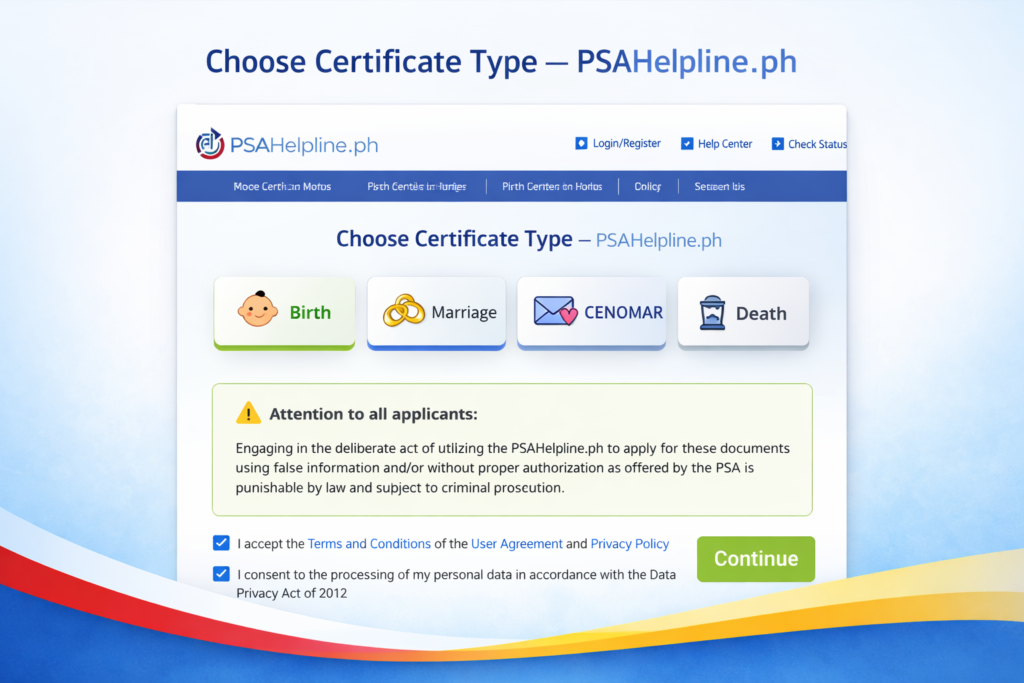
- Step 3: Choose whether you are requesting “My Own Birth Certificate” or “For Someone Else,” then click “Continue.”
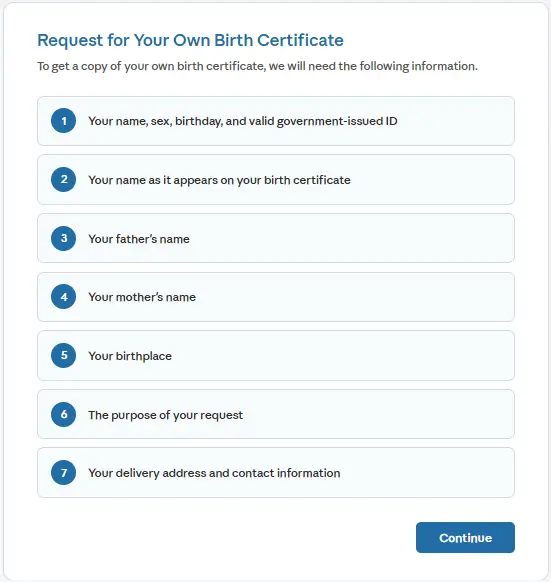
- Step 4: Review the list of information that will be collected and click “Continue” when ready.
- Step 5: Fill out the form with your sex, civil status (if female), first name, middle name, last name, birth date, and government-issued ID type. Click “Continue.”

- Step 6: Enter your name and delivery address, then click “Continue.”

- Step 7: Review the Certificate of Live Birth form, confirm all details are correct, choose the number of copies, tick “I Confirm,” and submit.

A few important reminders before you submit:
- Your name and birthday must match the details on your ID exactly.
- You are required to present your actual ID upon delivery.
- The courier will not release the document to anyone else, even with an authorization letter unless an Authorized Person to Receive (APR) has been properly assigned.
- You must be at least 18 years old to request your own PSA birth certificate online. For minors, a parent or legal guardian must apply.
- Use a delivery address where you can personally receive the document.
PSA Online vs. Walk-In: Detailed Comparison Guide
When it comes to getting your PSA birth certificate, you have two main options: go to a PSA CRS Outlet in person or request a PSA certificate online through PSAHelpline.ph. Both routes work but they serve different needs.
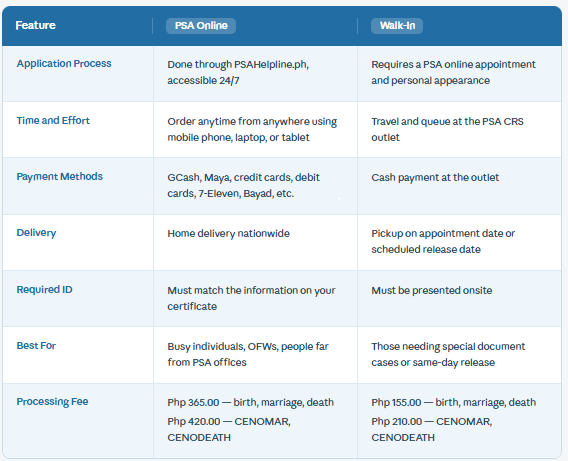
Tip: If you value convenience and want your birth certificate without leaving home, PSA online is the smarter, hassle-free route.
Before You Apply for a PSA Birth Certificate Online Read This First
Before starting your online application, make sure you have the following ready to avoid processing delays:
Personal and Document Information
- Full name as it appears on your birth record
- Date of birth and place of birth
- Names of both parents
- Government-issued ID that matches your birth certificate details
Access and Contact
- Internet access and a valid, active email address (for your reference number and delivery updates)
- Accurate delivery address where you or your APR are available at all times
Payment Readiness
Make sure you have access to at least one of these payment methods:
- GCash
- Visa or Mastercard
- 7-Eleven CLIQQ
- PayMaya
- Bayad Centers
Reminder: Even minor typos in your name or birthday can delay your application. Double-check every detail before you hit Confirm.
Your PSA Appointment Day Checklist
If you are going the walk-in route, come prepared. Showing up without the right documents wastes your appointment slot and your time.
What to bring:
- CRS Appointment Slip printed or digital copy with QR code and reference number
- One valid government-issued ID that matches the name used during booking (Passport, Driver’s License, UMID, Postal ID, SSS/GSIS ID, PRC ID)
- Cash for the fee approximately P155.00 per copy for a PSA Birth Certificate (check the official PSA website for the latest prices)
- Black or blue ink pen to fill out the Application Form quickly
- Photocopy of your valid ID
If requesting for someone else, additionally bring:
- Signed Authorization Letter from the document owner
- Valid ID of the document owner (original and photocopy)
- Your own valid ID (original and photocopy)
How Much Does a PSA Birth Certificate Cost Online?
A PSA birth certificate online costs Php 365.00, which already includes the processing and delivery fee for one copy with nationwide delivery.
After completing your application, you will receive a 10-digit Reference Number which you use to settle payment through any of the following channels:
- GCash: pay directly through the e-wallet app
- Visa / Mastercard: real-time payment posting (note: JCB and American Express are not currently supported)
- PayMaya: pay through the app with no extra charge
- 7-Eleven: visit a branch with a CLIQQ machine
- BPI / BDO / Metrobank: via ATM Bills Payment using BancNet (posting may take one to two days)
- Bayad / Palawan Express: over-the-counter at partner outlets
- Dragonpay: online payment gateway
To check the status of your request, go to PSAHelpline.ph, click “Check Status,” and enter your 10-digit reference number.
Top Common Mistakes to Avoid When Ordering a PSA Birth Certificate Online
Even careful applicants make these mistakes. Knowing them in advance saves you time and a headache:
- Misspelled names or wrong details: A single typo in your first name, last name, or birthdate could affect the results. Always match your information to what is in the birth record.
- Mismatch between ID and application: If your ID does not exactly match the information on your birth certificate (e.g., misspelled name or incorrect birth year), PSA delivery may not be completed.
- Incomplete or inaccessible delivery address: If the address is inaccurate or no one is available, delivery will fail. Choose a reachable address where you can personally receive your order.
- Not saving your reference number: This is essential for tracking your birth certificate online request. Screenshot it or write it down the moment you receive it.
- Requesting without proper authorization: If you are requesting for someone who is not your child, parent, or spouse, make sure to secure proper authorization before the PSA certificate delivery.
Pro Tip: PSAHelpline.ph offers customer support via hotline (02-87371111) and email ([email protected]), available Monday to Saturday, 8AM to 5PM, excluding holidays. Reach out immediately with your reference number if something goes wrong.
PSA Online Delivery Reminder Alert
- PSA delivery in Metro Manila is typically the next day after the document is released by PSA.
- For provincial orders, delivery takes 3 to 8 working days depending on your location.
- Prepare a valid ID from the list of acceptable IDs and present it to the courier upon delivery.
- After paying, immediately assign an Authorized Person to Receive (APR) in case you will not be available when the courier arrives.
- For full delivery guidelines, visit the PSAHelpline Delivery Reminders page.
How to Track Your PSA Online Order Quickly
Once you have placed your order, tracking it is simple:
- Visit PSAHelpline.ph and click the “Check Status” tab at the top of the homepage.
- Enter your 10-digit Reference Number to see real-time updates.
Here is what each delivery status means:
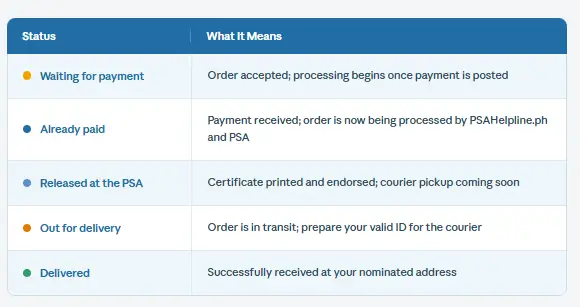
Estimated delivery timeframes:
- Metro Manila: next working day after PSA release
- Provincial Areas: 3 to 8 working days depending on location
Tip: Save any SMS or email updates from PSAHelpline.ph. These help you coordinate with couriers if needed.
How to Accurately Assign an Authorized Person for PSA Delivery
If you cannot personally receive your PSA birth certificate, you can assign an Authorized Person to Receive (APR). Here is how:
- Complete the order form: with your personal details and certificate information.
- Choose your delivery option: select the APR option at the bottom of the order summary page.
- Proceed to payment: pay through any accredited channel: credit/debit card, e-wallet, or over-the-counter at partner outlets.
- Complete identity verification: upload a clear, readable copy of your valid ID and complete a liveness check.
- Assign your APR: you can do this through:
- A secure link sent to your registered email address The “Assign Authorized Person to Receive” button after successful online payment The Customer Service portal on the PSAHelpline.ph website
Tips for a smooth APR delivery:
- Choose someone reliable and reachable during the delivery window.
- Remind your APR to show a valid ID to the courier the name on their ID must match the name in your application.
- Your APR must be present at the exact delivery address provided in your order.
Explaining the QR Code and Security Features on PSA Certificates
Every PSA birth certificate now comes with a unique QR code a machine-readable, encrypted graphic that links directly to the official PSA database. This security feature was introduced to prevent tampering, forgery, and the use of fake documents in legal and official transactions.
To verify the authenticity of your PSA certificate:
- Download the official PSA e-Verification app from Google Play or the Apple App Store.
- Open the app and scan the QR code on your certificate using your phone’s camera.
- The app will display the certificate details as recorded by PSA, confirming it is genuine.
Tip: Always verify certificates using the official PSA app before submitting them for passport applications, employment, or government benefits.
How to Obtain a PSA Birth Certificate (Walk-in Process)
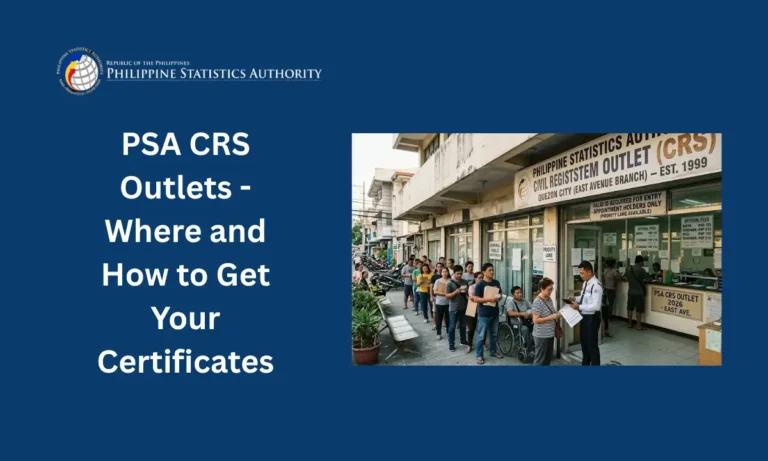
You or your representative can process your PSA birth certificate at the nearest PSA CRS Outlet. Before going, you need a PSA online appointment through the PSA Online Appointment System.
Requirements:
You must present one valid ID. The following are accepted:
- Philippine Identification Card / ePHILID
- Philippine Passport (DFA)
- Driver’s License (LTO)
- PRC ID / IBP ID
- GSIS or SSS Unified Multi-Purpose ID
- Pag-IBIG Transaction/Loyalty Card
- Voter’s ID (COMELEC)
- Postal ID (PhlPost)
- Senior Citizen’s ID (OSCA or LGU)
- OFW IDs (DOLE) / OWWA ID
- Seaman’s/Seawoman’s Book (MARINA)
- Diplomat/Consular ID (Philippine Embassy)
- NBI Clearance / PNP ID / Police Clearance
- DSWD Certification / 4Ps ID
- Barangay ID/Certification with picture and signature
- PWD ID (NCDA, DOH, or affiliated offices)
- IDs issued by national government offices (AFP, DAR, DENR, DOJ) including GOCCs
- IDs issued by Offices of Local Chief Executives (Governor, Vice Governor, Mayor, Vice Mayor)
- TIN Card with picture and signature (BIR)
- School/Student ID for currently enrolled students 18 years old and above (DepEd or CHEd recognized institutions)
- Company IDs from entities regulated by BSP, SEC, or Insurance Commission
- For foreign nationals: passport issued by foreign governments plus ACR I-card, Immigrant Certificate of Registration, or Special Resident Retiree Visa (Bureau of Immigration / Philippine Retirement Authority)
If requesting for someone else, you need an authorization letter unless you are the owner’s parent, spouse, direct descendant, or legal guardian (for minors).
Walk-in Application Procedure:
- Get a PSA online appointment from the PSA Online Appointment System. Choose your preferred date, time, and PSA CRS Outlet.
- Go to your chosen outlet on your scheduled time and date.
- Present your CRS Appointment Slip (printed or digital) to the Information Marshal for validation.
- Get your Application Form (AF) and Queue Ticket Number (QTN).
- When called, present your QTN, accomplished AF, valid IDs, Authorization Letter/Special Power of Attorney (SPA), and all supporting documents at the transacting window for screening and payment.
- Check your Official Receipt (OR) and count your change.
- Proceed to the Releasing Area on the scheduled date and time of release.
- Present your OR, valid IDs, and Authorization Letter/SPA to the Releasing Officer.
- Check the correctness and completeness of the received document.
Important Reminders:
- Arrive at least 30 minutes before your scheduled appointment.
- Bring valid IDs for both the document owner and the authorized representative, matching the names encoded.
- Fees: P155.00 per copy for birth, marriage, and death certificates; P210.00 per copy for CENOMAR and CENODEATH.
- An authorized representative is not allowed to delegate their authority to another person.
- An authorized representative can only request for a maximum of 2 unrelated individuals.
- Minors are not allowed to book an appointment.
- The CRS appointment slip is free of charge and non-transferable.
- For concerns and inquiries, transact only with authorized PSA personnel.
What Should You Do If Your PSA Birth Certificate Has Errors?
Finding an error on your PSA birth certificate can feel stressful, but it is fixable. The process depends on the type of correction needed.
Types of Corrections:
- Administrative Corrections: For clerical or typographical errors like misspelled names, incorrect birthdates, or wrong gender. You file a petition at the Local Civil Registry Office (LCRO) where the birth was registered.
- Judicial Corrections: For legal changes involving name, year of birth, citizenship, legitimacy, or illegitimacy. These require court proceedings.
Steps to Correct Errors:
- Step 1: Identify whether the error is clerical or requires judicial action.
- Step 2: Visit the LCRO and file a petition or correction request with supporting documents.
- Step 3: Bring your PSA certificate with the error it will be used for reference.
- Step 4: Wait for approval (processing times vary; follow up with the LCRO).
- Step 5: Once the correction is approved, order a corrected PSA certificate online or through walk-in.
Note on Negative Certifications: If PSA issues a Negative Certification, it means your document is not in their digital or paper archives. You will need to check with the Local Civil Registrar for further steps.
That’s the PSAHelpline.ph Promise Smart, Secure, and Simple.
Gone are the days of adjusting your work schedule or navigating traffic just to secure a civil document. With PSAHelpline.ph, the entire PSA online process is built around your convenience, privacy, and security whether you are a busy professional, a parent, or even a night shift worker ordering at 2 AM.
From placing your order and selecting your preferred PSA delivery method, to verifying documents via QR-coded certificates and tracking your request in real time, every step is designed for today’s mobile-first lifestyle. With a wide range of payment options and 24/7 access on any mobile device, more Filipinos can now get this essential document with greater ease for school enrollment, passport application, visa processing, legal proceedings, and more.
PSA online is the smarter, safer, and faster way forward.
FAQs About PSA Birth Certificate
Is the Certificate of Live Birth the same as the PSA Birth Certificate?
No. The Certificate of Live Birth is an unofficial document used for data entry purposes only. It proves you were medically alive when your mother gave birth to you, but it is not the same as the PSA-authenticated birth certificate.
Does the PSA have copies of birth certificates of people born before 1945?
If you are requesting a birth certificate for someone born before 1945, the PSA will issue a Negative Results Certification, meaning no record of the birth is found in the PSA archives. You can use that certificate to follow up with the Local Civil Registrar where the birth was registered.
How can I correct typographical errors or wrong information in my birth certificate?
It depends on the type of correction. Clerical or typographical errors such as wrong gender or wrong date of birth can be corrected by filing a petition with the LCRO where the birth was reported. The same applies for correcting a first name. However, changes involving name, nationality, citizenship, parents’ names, middle name, birth year, or legitimacy/illegitimacy require judicial proceedings through a court proceeding.
Do PSA birth certificates expire?
PSA birth certificates have no expiration date. However, entities like the Department of Foreign Affairs and embassies typically require a copy that is not older than six months from the date of payment.
Why did I get a Negative Certification from PSA instead of the requested copy?
A Negative Certification means PSA found no record of the birth in their digital or paper archives. Use that certificate to check with the Local Civil Registrar where the birth certificate was originally registered.
Can I cancel my PSA online request after submitting it?
Once your order is processed and printed, cancellations are not allowed. You may contact PSAHelpline.ph support to ask about any special cases.
What happens if I miss the delivery of my PSA birth certificate?
If you or your authorized recipient are not available, the courier will attempt to contact you or leave a notice. You can coordinate with PSAHelpline.ph customer service to reschedule the delivery.
Can I track my PSA certificate order without the reference number?
No. The reference number is essential for tracking. Always save or write it down immediately after ordering.
What should I do if my PSA certificate delivery is delayed?
Delivery times vary by location. If it goes beyond the estimated timeframe 3 to 8 working days for provinces contact PSAHelpline.ph support with your reference number.
Can minors apply for their own PSA birth certificate online?
No. Only individuals 18 years old and above may apply for their own certificates online, or for their parents’ or children’s. Parents or legal guardians must apply on behalf of minors.
Are there extra charges for urgent processing?
The standard fee covers regular processing and delivery. PSAHelpline.ph does not currently offer expedited processing for birth certificates.
Is it safe to provide my personal information online to PSAHelpline.ph?
Yes. PSAHelpline.ph is an authorized PSA partner that follows strict data privacy and security protocols to protect your information.
Conclusion
Getting your PSA birth certificate does not have to be stressful. Whether you choose the online route through PSAHelpline.ph or walk in at a PSA CRS Outlet, the process is manageable when you come prepared.
Keep your documents ready, double-check every detail, and always use official platforms. Your birth certificate is one document worth getting right the first time.