PSA Online Appointment: Book Your PSA Appointment Online 2026
PSA Online Appointment 2026 makes it easier than ever to schedule your visit to a PSA Civil Registry System outlet. Instead of waiting in long lines, you can book your appointment online, choose a convenient date and time, and complete your civil registry transactions more efficiently.
Getting a copy of your birth certificate, marriage certificate, or CENOMAR from the Philippine Statistics Authority (PSA) used to mean waking up at dawn, standing in long queues, and hoping you’d reach the counter before slots ran out.
That’s no longer the case.
With the PSA online appointment system, you can now book a time slot in advance, walk into your chosen PSA outlet at your scheduled time, and skip most of the chaos that used to define civil registry transactions.
This guide walks you through everything: how to book a PSA online appointment, what documents to bring, who qualifies for priority lanes, how the QR code verification works, and the alternative delivery option through PSAHelpline.ph plus answers to the most commonly searched PSA appointment questions.
Quick Answer
What is a PSA Online Appointment?
A PSA online appointment is a free booking system that lets you reserve a date and time slot to visit a PSA Civil Registry System (CRS) outlet for document requests including birth certificates, marriage certificates, death certificates, and CENOMAR.
- Alternative: Order documents online via PSAHelpline.ph for home delivery no appointment needed
- Official portal: appointment.psa.gov.ph
- Cost: Free (no booking fees)
- Documents needed: Valid government ID + appointment slip with QR code
- Walk-ins: Not allowed (except seniors, PWDs, pregnant women, National ID holders, emergencies)
What Is a PSA Online Appointment?
A PSA Online Appointment is a free, government-run digital booking system operated by the Philippine Statistics Authority (PSA) that allows citizens to reserve a specific date and time slot to visit a PSA Civil Registry System (CRS) outlet.
In simple terms, it works like booking a doctor’s appointment instead of walking in and waiting in an unpredictable queue, you choose a time that works for you in advance, and the PSA outlet expects you at that exact slot.
The system covers requests for:
- Birth Certificates
- Marriage Certificates
- Death Certificates
- CENOMAR (Certificate of No Marriage Record)
You can access it through the official portal: appointment.psa.gov.ph.
Why Use the PSA Online Appointment System
Many people ask: “Do I really need to book online, or can I just walk in?” Here’s why the appointment system exists and why it’s worth using.
- 1. It saves you time Instead of arriving at 5 AM and hoping for a slot, you know exactly when you’ll be served. No more guessing games.
- 2. It reduces overcrowding By controlling how many people enter at a given time, PSA branches become less chaotic safer and faster for everyone, including staff.
- 3. It’s the only legal way in (for most people) Walk-ins are not allowed for standard requests. If you don’t have a confirmed appointment, you simply won’t be served except for senior citizens, PWDs, pregnant women, emergencies, and National ID holders.
- 4. It’s completely free No hidden charges. If someone asks you to pay for a “guaranteed slot,” that’s a scam report it.
- 5. It improves your chances of same-day service With a confirmed slot and QR code, your transaction is pre-verified, which means less back-and-forth at the counter and a higher chance of walking out with your document the same day.
- 6. It gives you flexibility You can choose a branch and time that fits your work schedule, travel plans, or location something that wasn’t possible with the old walk-in-only system.
How to Book a PSA Online Appointment (Step-by-Step)
The official portal for PSA appointments is appointment.psa.gov.ph. Here’s the exact process:
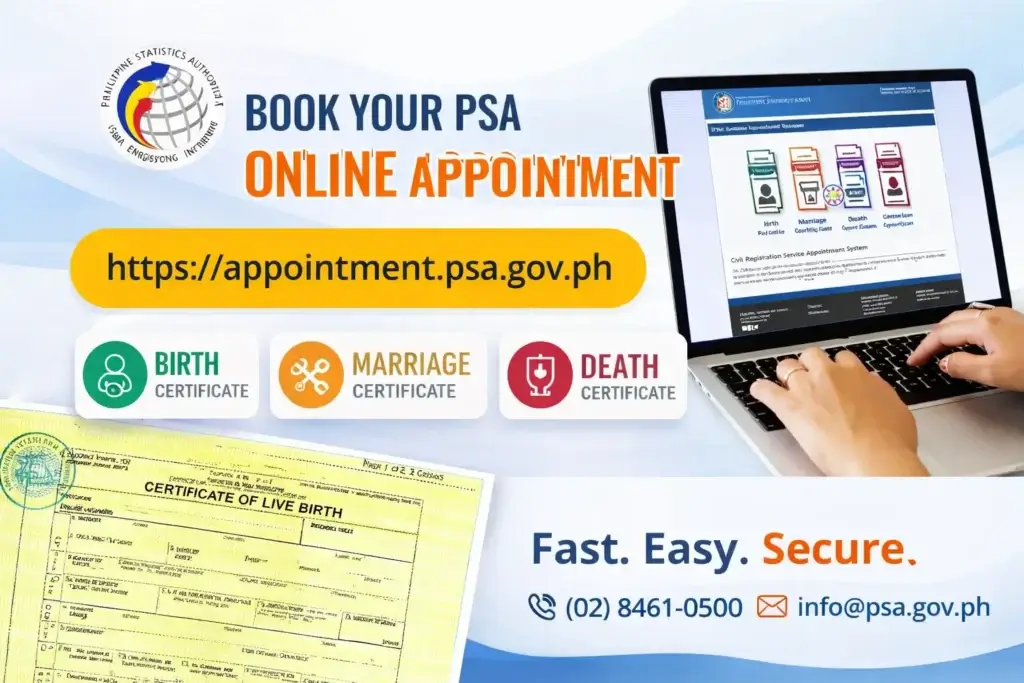
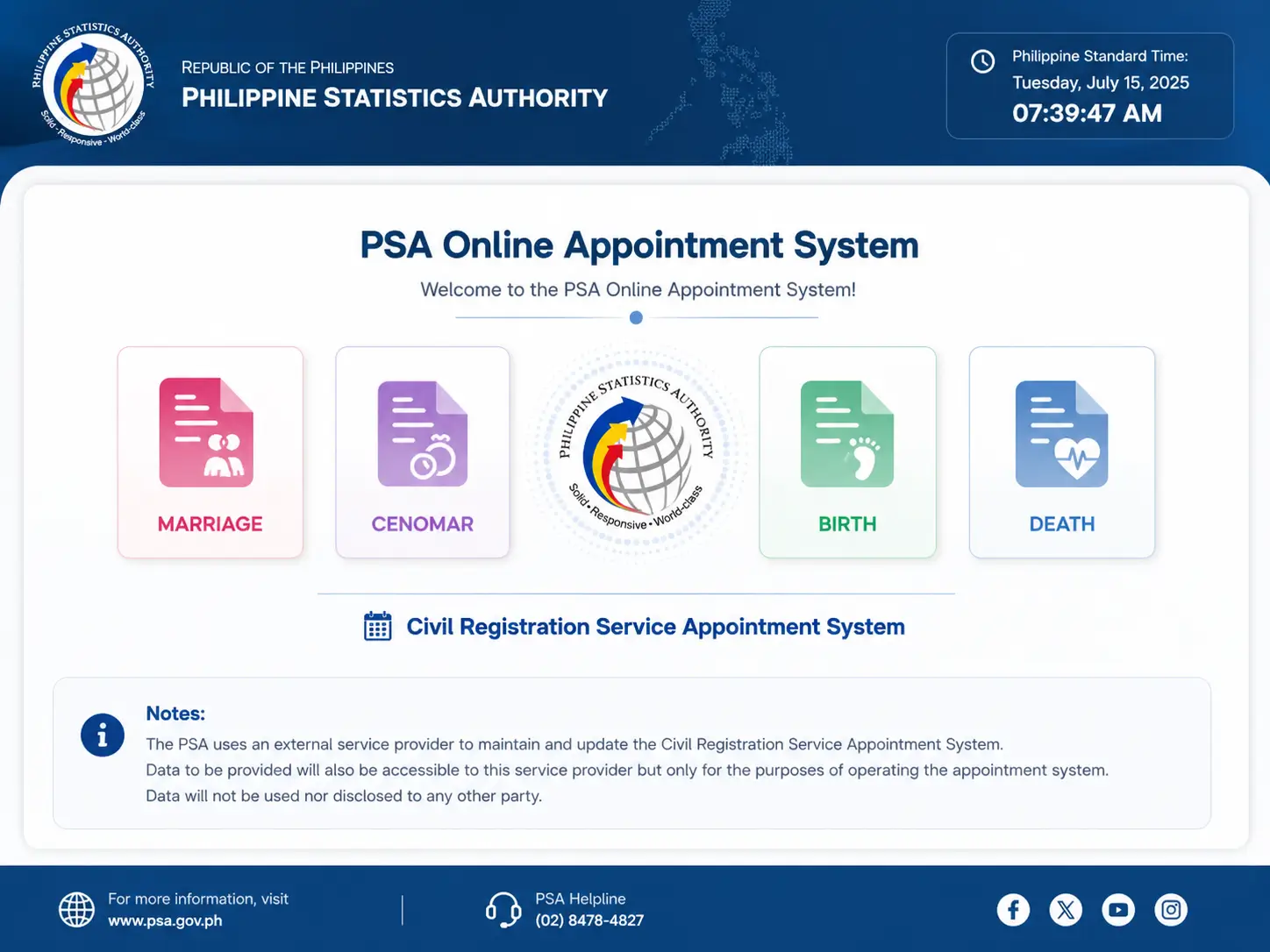
- Step 1: Visit the Official Portal: Go to appointment.psa.gov.ph and click the CRS Appointment button. CRS stands for Civil Registry System this covers birth, marriage, death certificates, and CENOMAR.
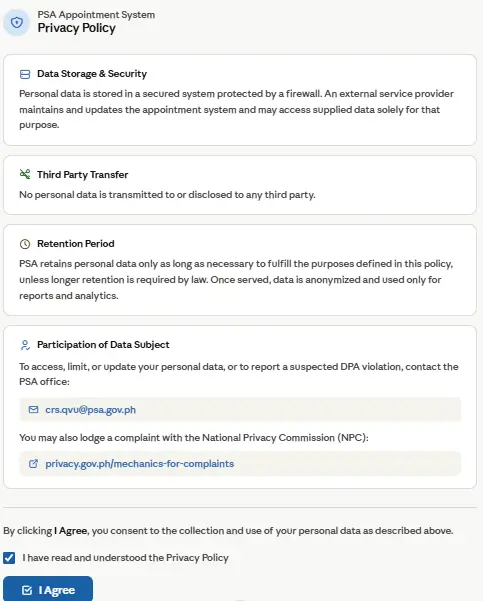
- Step 2: Read and Agree to the Data Privacy Notice: You’ll be redirected to crs-appointment.psahelpline.ph. Read through the Data Privacy Notice and PSA reminders, then click Agree to proceed.
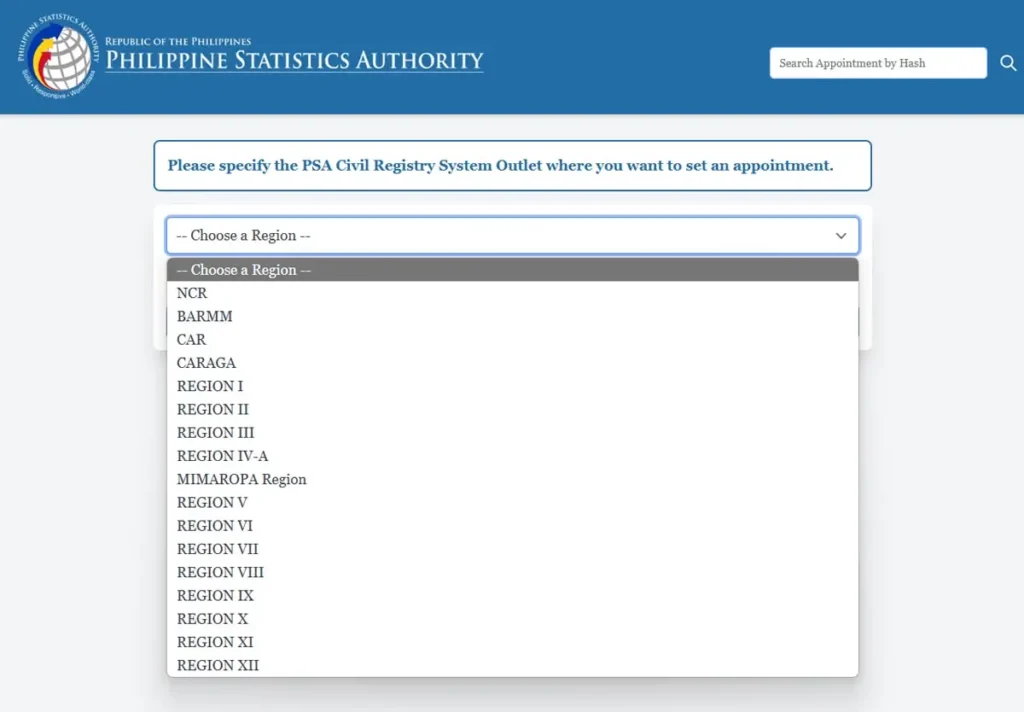
- Step 3: Choose Your Outlet: Select your region, province, and the specific PSA outlet that’s most convenient for you. Outlets vary in available time slots, so check a few nearby options if your first choice is full.
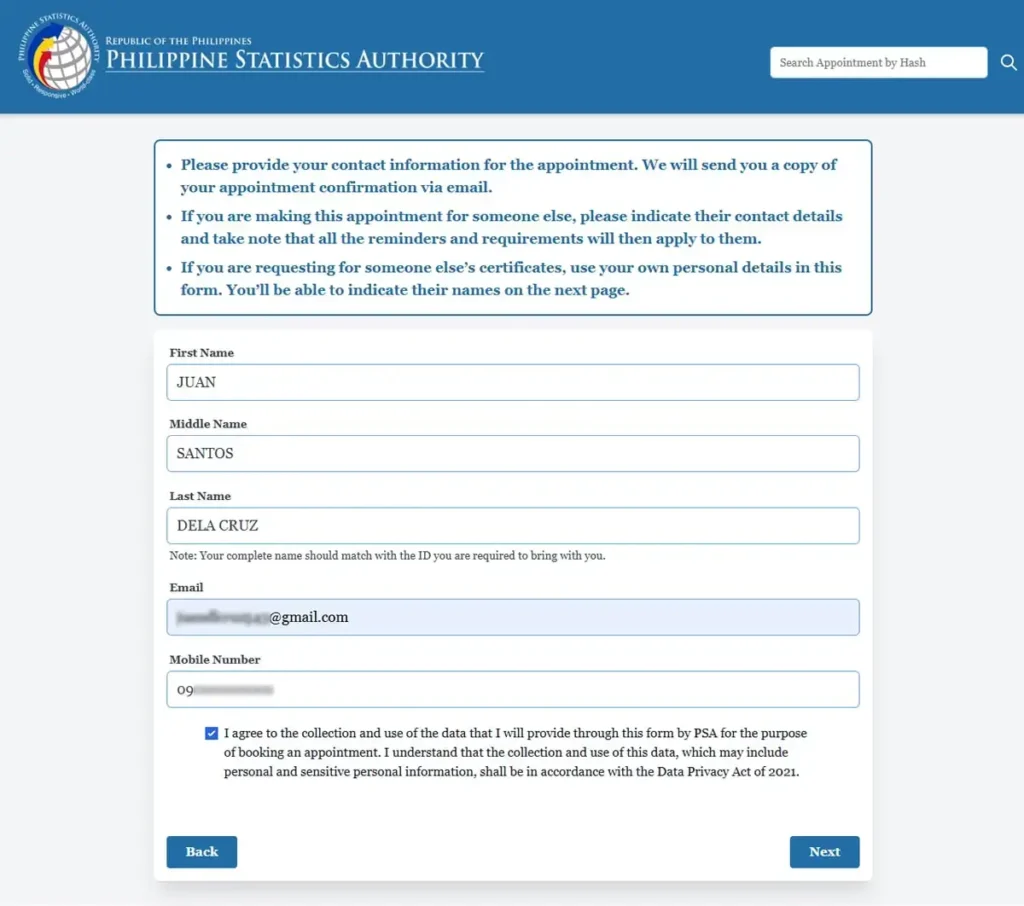
- Step 4: Enter Your Personal Details: Fill in your full name, email address, and mobile number. These details must match your valid ID exactly mismatches are one of the top reasons appointments get flagged at the door.
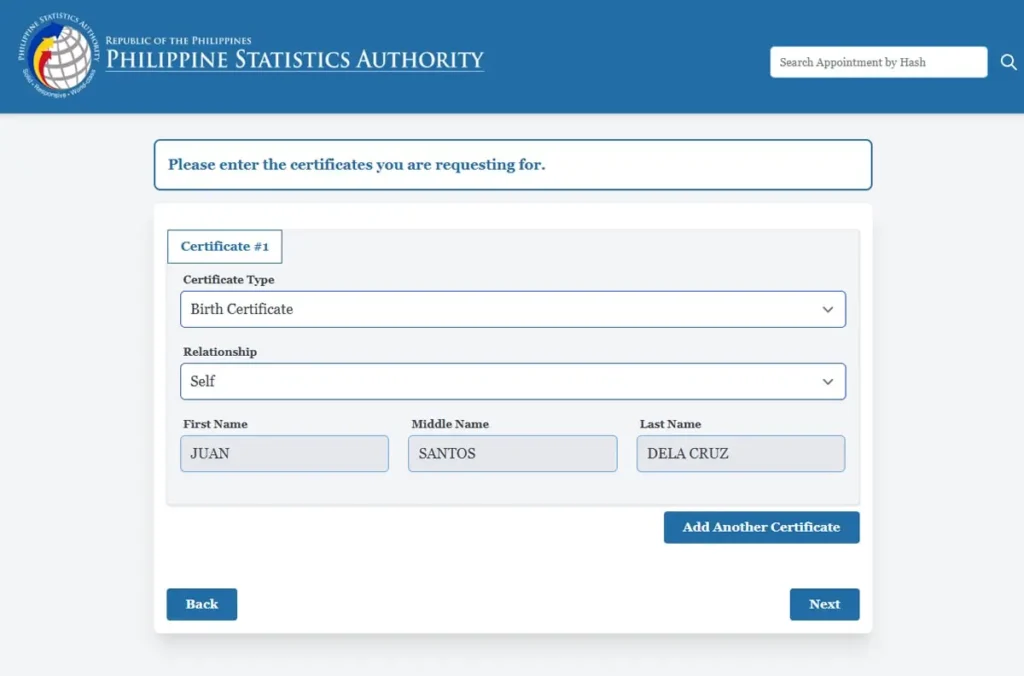
- Step 5: Select Your Document Type: Choose the certificate you need:
- Birth Certificate
- Marriage Certificate
- Death Certificate
- CENOMAR (Certificate of No Marriage Record)
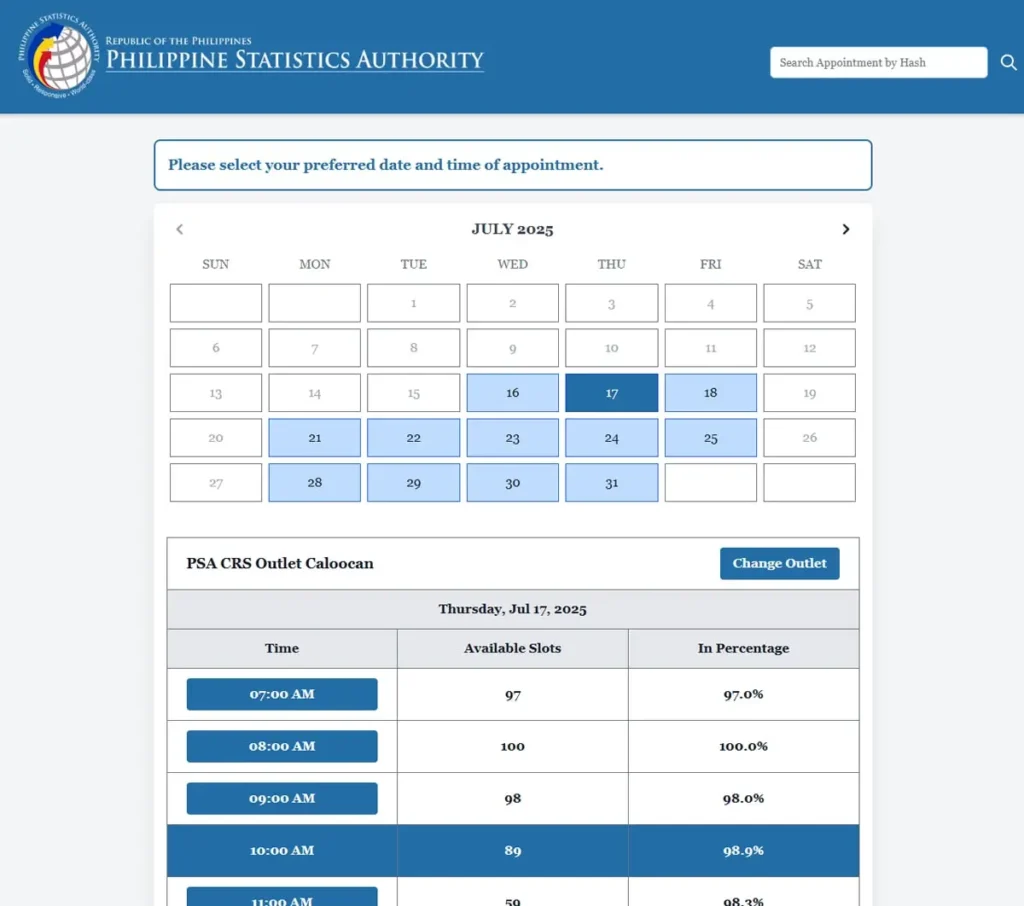
- Step 6: Pick Your Date and Time: Browse available dates and time slots. Grayed-out slots mean they’re already fully booked.
- Step 7: Review Everything Carefully: Double-check your name, document type, outlet, and schedule before confirming. Errors at this stage are difficult to fix later.
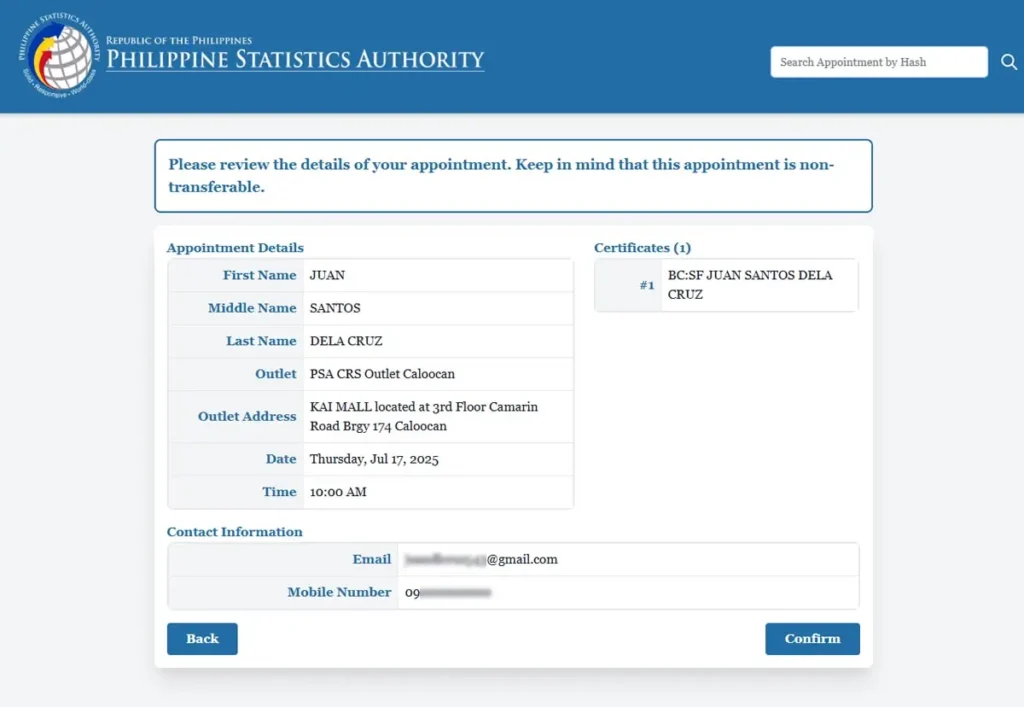
- Step 8: Confirm Your Booking: Submit your appointment request.
- Step 9: Save Your Appointment Slip: You’ll receive a confirmation email containing your QR code and booking reference number. Save this on your phone and print a physical copy as backup.
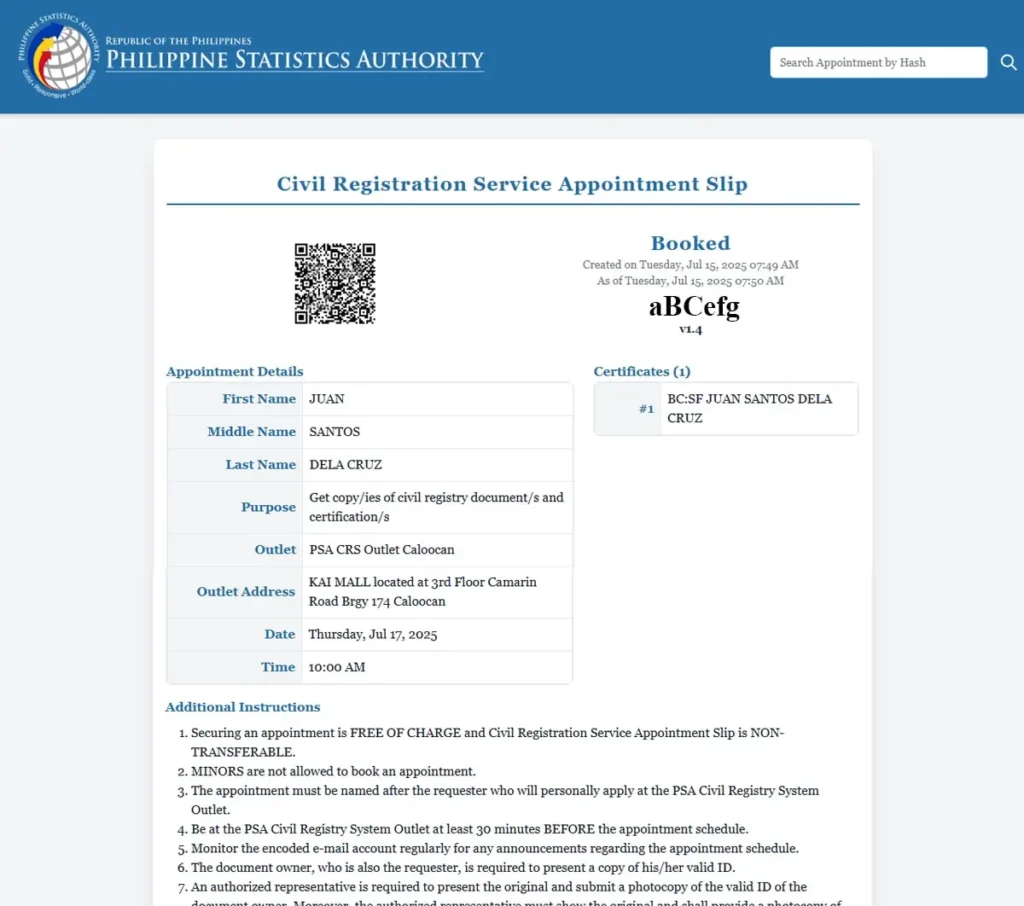
Expert tip: If you can’t find an open slot, check back early in the morning. PSA outlets typically release new slots at the start of each business day, and these get booked quickly during peak periods (back-to-school season, passport application rush, etc.).
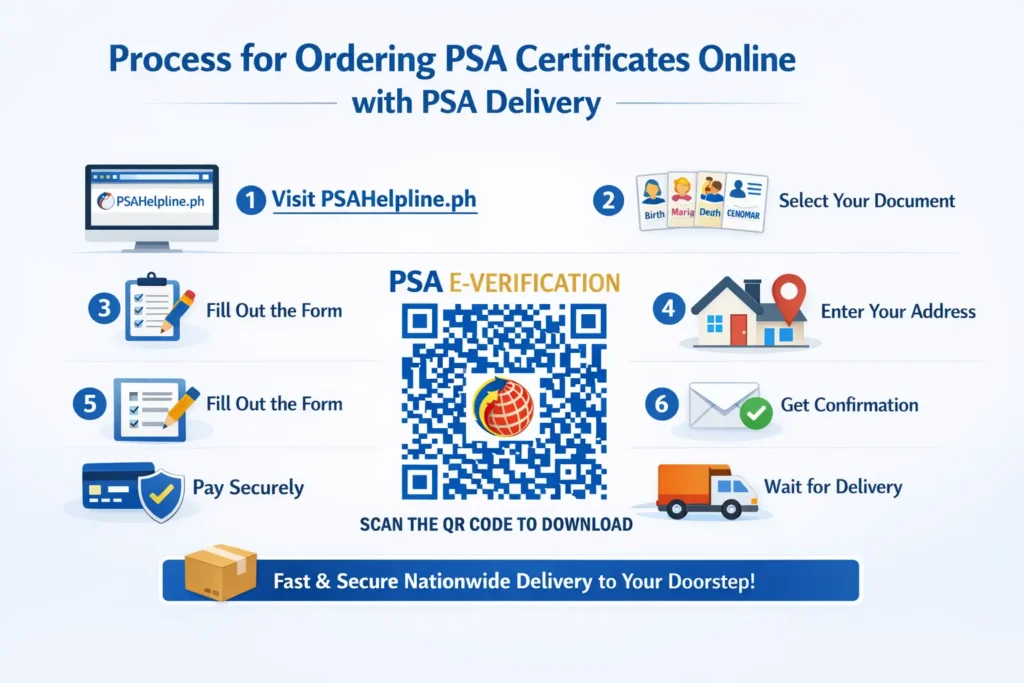
Process for Ordering PSA Certificates Online With PSA Delivery
Ordering a PSA certificate online is a convenient way to receive official civil registry documents without visiting a PSA office. Whether you need a Birth Certificate, Marriage Certificate, Death Certificate, CENOMAR, or CENODEATH, the entire process can be completed online and delivered directly to your address.
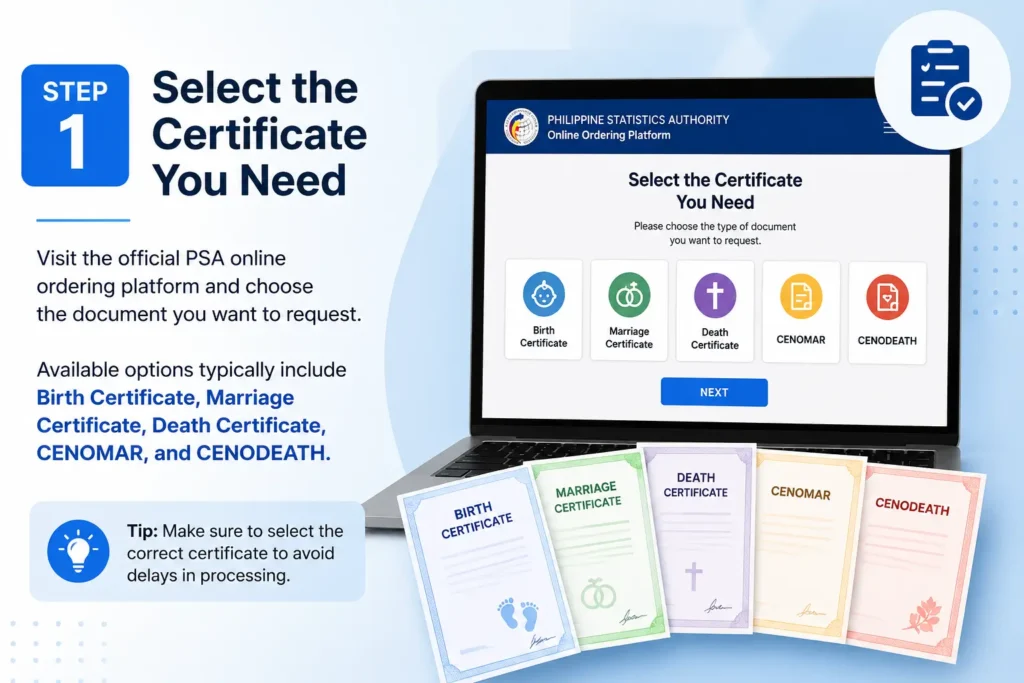
- Step 1: Select the Certificate You Need: Visit the official PSA online ordering platform and choose the document you want to request. Available options typically include Birth Certificate, Marriage Certificate, Death Certificate, CENOMAR, and CENODEATH.
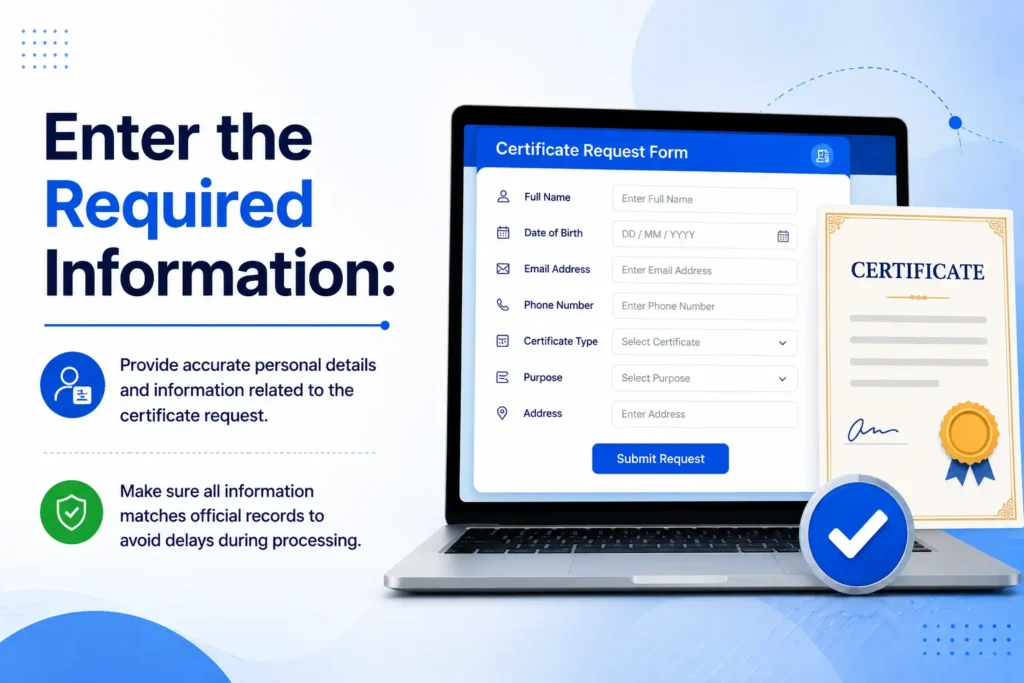
- Step 2: Enter the Required Information: Provide accurate personal details and information related to the certificate request. Make sure all information matches official records to avoid delays during processing.
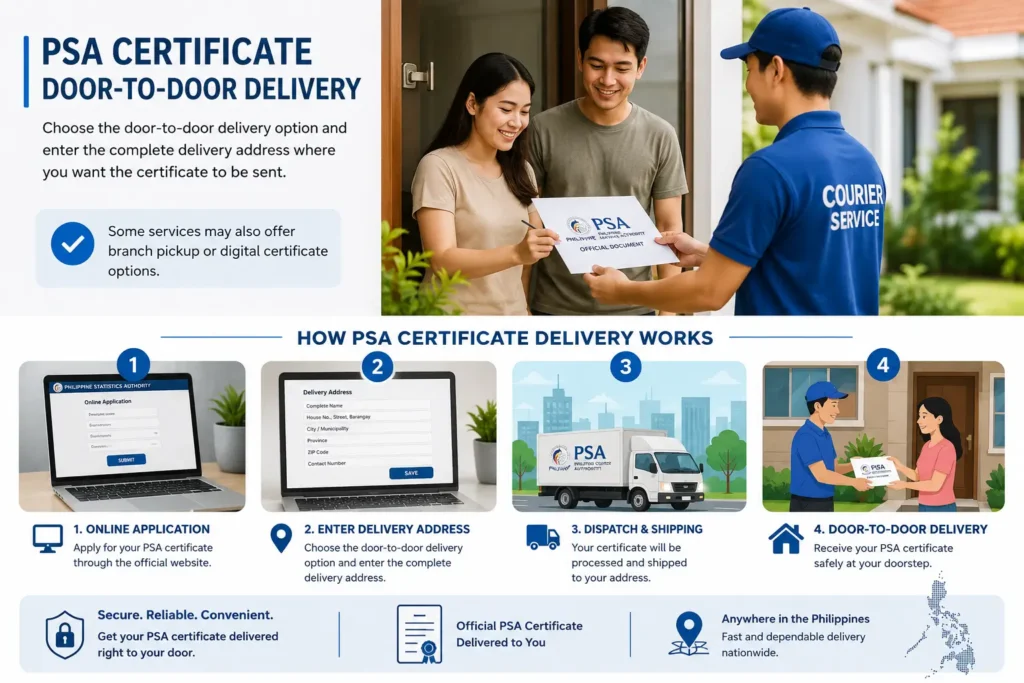
- Step 3: Choose PSA Delivery: Select the door-to-door delivery option and enter the complete delivery address where you want the certificate to be sent. Some services may also offer branch pickup or digital certificate options.
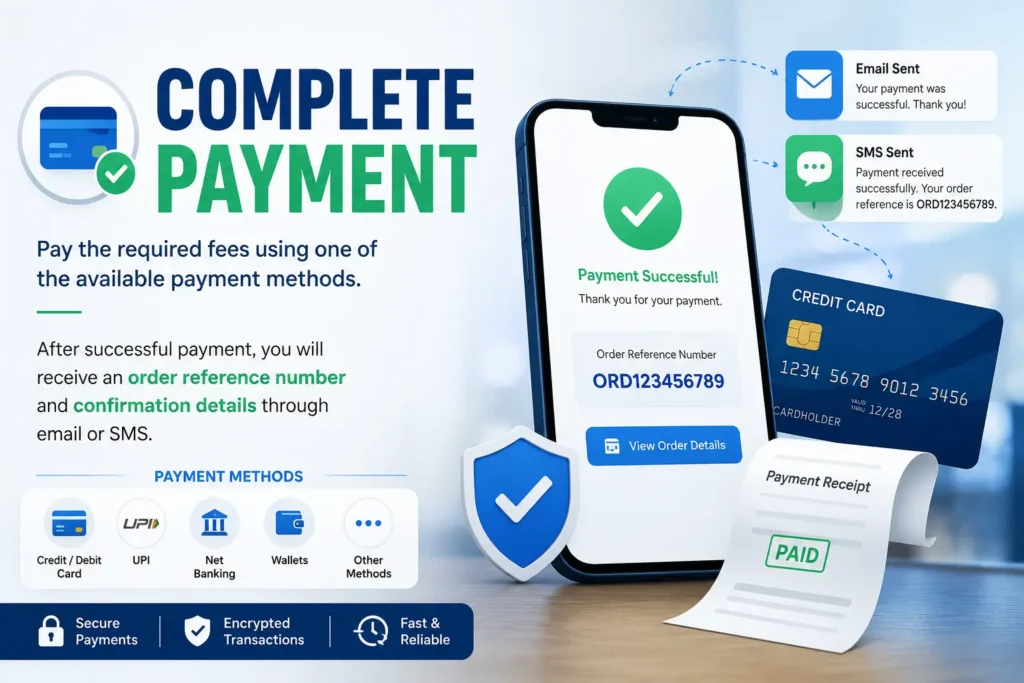
- Step 4: Complete Payment: Pay the required fees using one of the available payment methods. After successful payment, you will receive an order reference number and confirmation details through email or SMS.
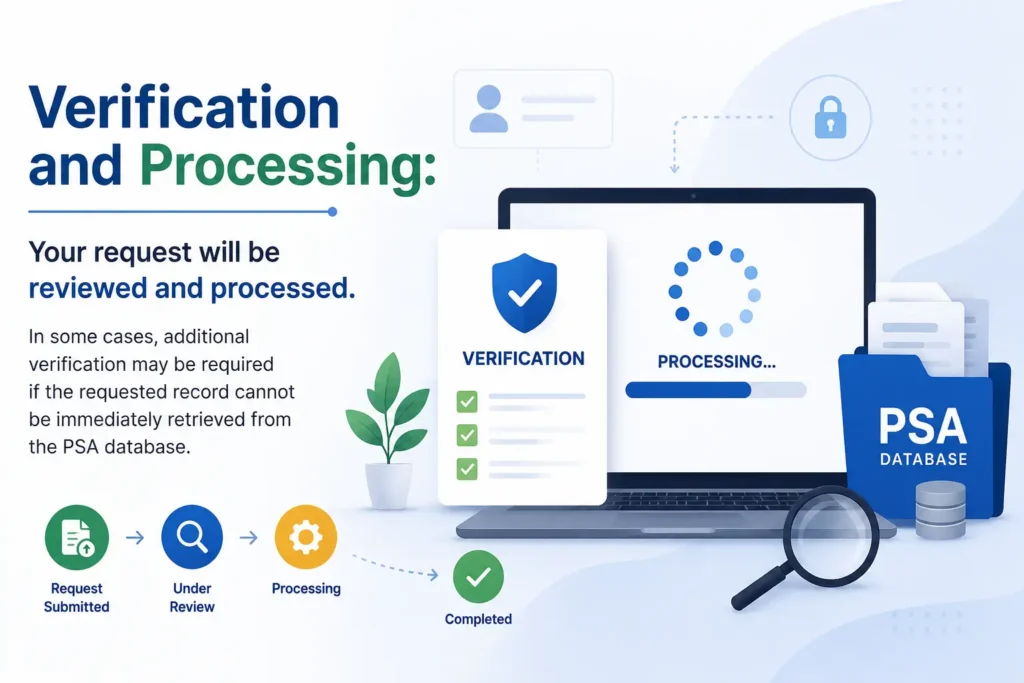
- Step 5: Verification and Processing: Your request will be reviewed and processed. In some cases, additional verification may be required if the requested record cannot be immediately retrieved from the PSA database.
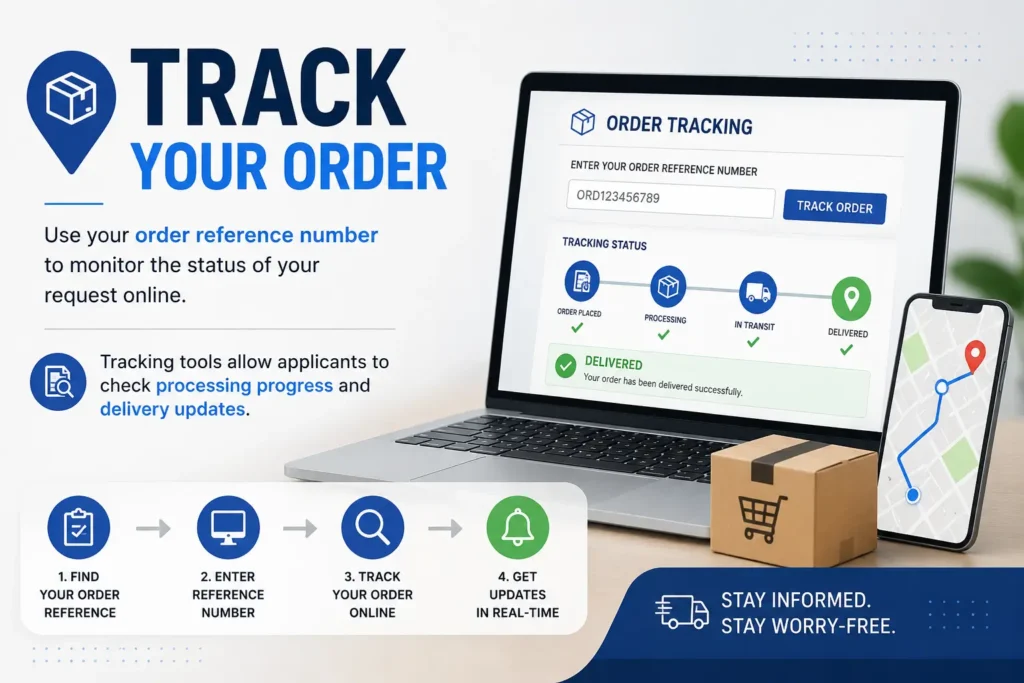
- Step 6: Track Your Order: Use your order reference number to monitor the status of your request online. Tracking tools allow applicants to check processing progress and delivery updates.
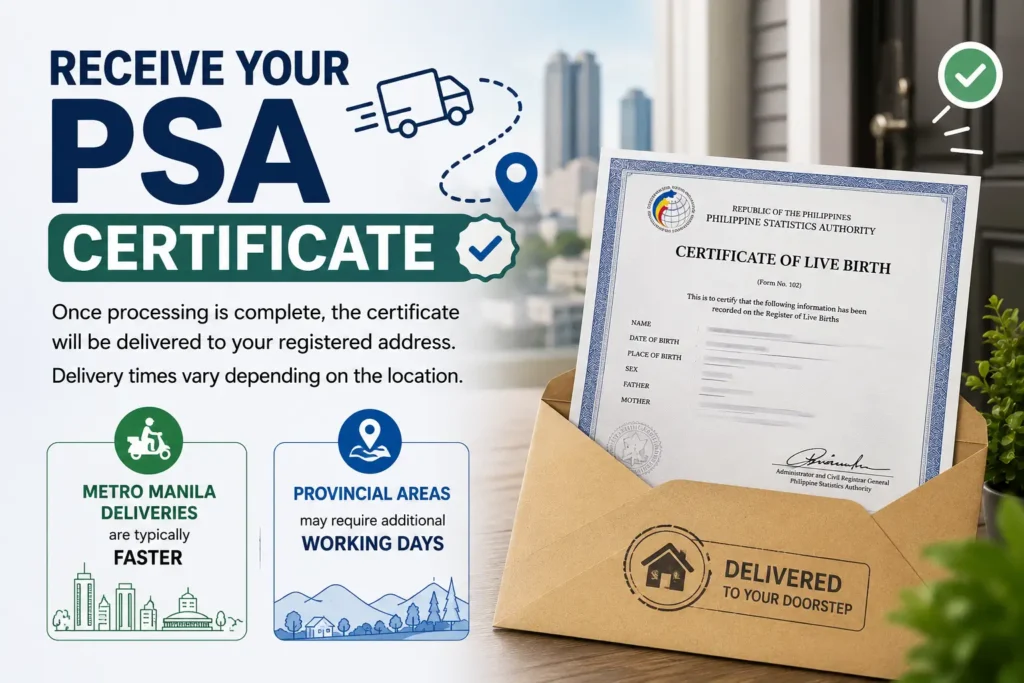
- Step 7: Receive Your PSA Certificate: Once processing is complete, the certificate will be delivered to your registered address. Delivery times vary depending on the location. Metro Manila deliveries are typically faster, while provincial areas may require additional working days.
Important Reminders
- Double-check all information before submitting your request.
- Keep your order reference number for tracking purposes.
- Prepare a valid ID when receiving the document.
- If you cannot personally receive the certificate, you may assign an Authorized Person to Receive (APR) following the platform’s verification requirements.
This process allows applicants to obtain official PSA documents from the comfort of their homes while benefiting from secure nationwide delivery.
PSA Online Appointment Fee: How Much Does It Cost?
Here is the good news and it is something a lot of people get wrong.
Booking a PSA online appointment through the official portal is completely free. The scheduling itself costs you nothing — ₱0.00.
Many Filipinos end up paying unnecessary charges simply because they land on the wrong website. Several third-party websites charge a “booking fee” or “processing fee” just to schedule a PSA appointment. These are not official government portals. If a site is asking you to pay before you even book a slot, you are not on the right page.
The PSA does not charge any fee for scheduling an appointment online. Beware of unauthorized third-party websites or individuals charging fees.
So When Do You Actually Pay?
You pay only when you show up at the PSA CRS outlet to claim your certificate. The fees apply to the document itself, not the appointment slot.
Here is a quick breakdown of the certificate fees you will pay at the counter:
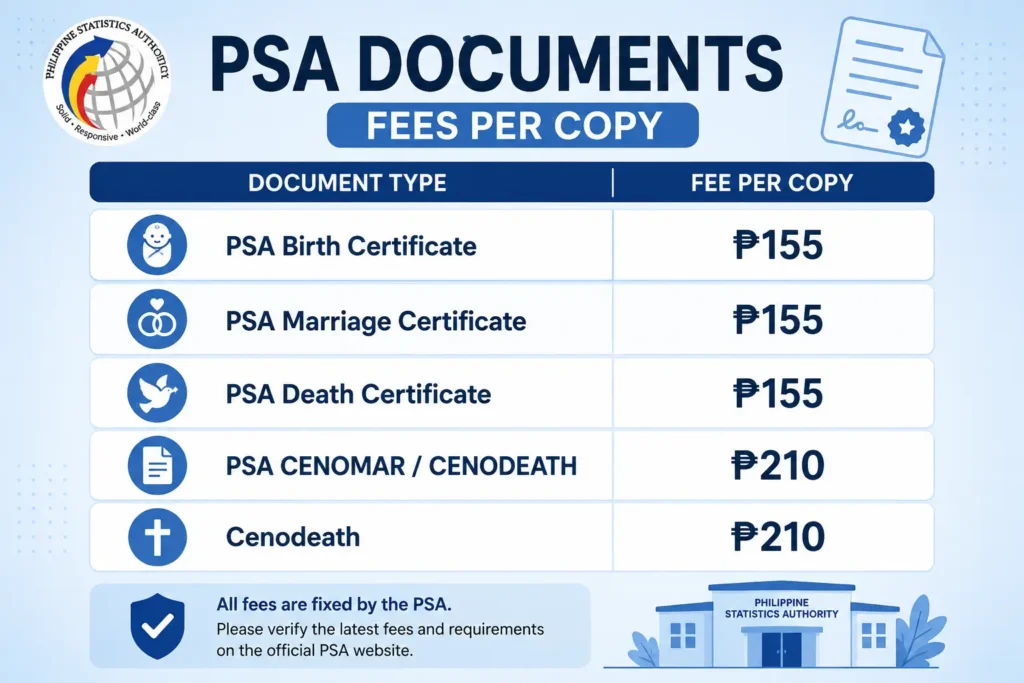
The only costs are certificate fees paid at the PSA outlet: ₱155 per copy for birth, marriage, and death certificates, and ₱210 per copy for CENOMAR and CENODEATH.
What Is the PSA Online Appointment QR Code?
The PSA Online Appointment QR Code is a digital verification tool issued after a successful appointment booking. It contains appointment details that can be quickly accessed and validated through PSA’s electronic verification system. Instead of manually entering appointment information, applicants can simply present their QR code for faster confirmation and processing.
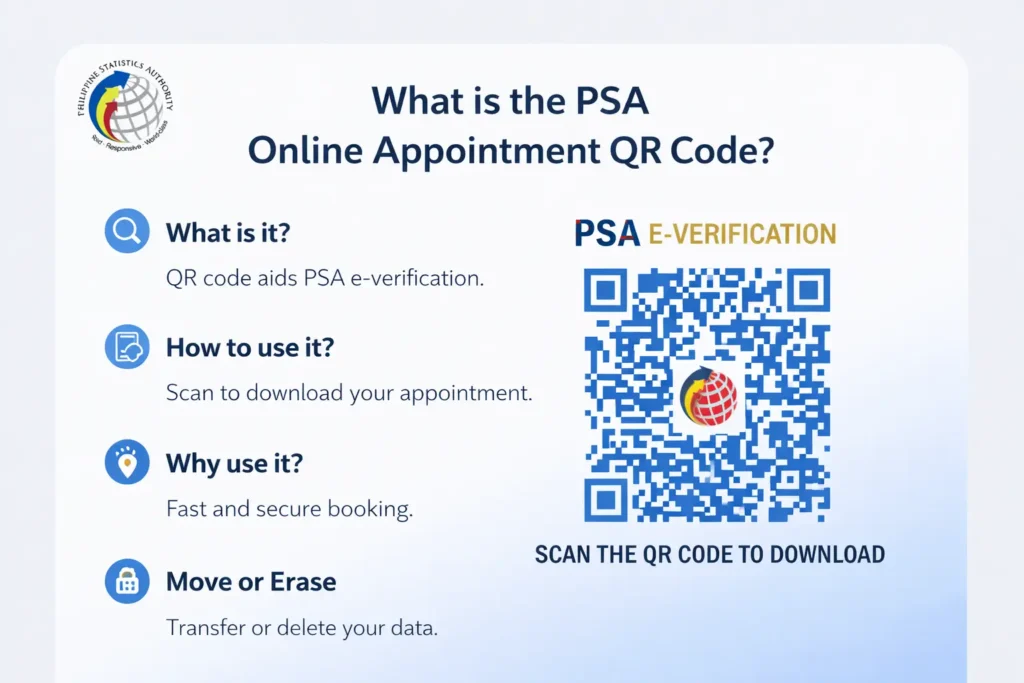
The QR code plays an important role in improving appointment management by reducing check-in times and helping PSA personnel verify appointment records more efficiently. It also minimizes errors that can occur during manual verification, making the entire appointment process smoother and more secure.
How Does the PSA Appointment QR Code Work?
Once your appointment is confirmed, a unique QR code is generated and linked to your booking information. When scanned, the code provides access to the appointment details associated with your reservation. This allows PSA staff to confirm your appointment status and proceed with the required transaction without unnecessary delays.
Benefits of Using the PSA Appointment QR Code
The QR code system offers several advantages for both applicants and PSA offices:
- Faster appointment verification and check-in.
- Reduced waiting time during processing.
- Improved accuracy of appointment records.
- Secure access to booking information.
- Convenient digital storage on mobile devices or printed copies.
Why You Should Keep Your QR Code Safe
Your QR code serves as proof of your scheduled appointment and may be required during verification. Keeping a copy of the code readily available can help ensure a hassle-free experience on the day of your appointment. Whether saved digitally or printed, having quick access to your QR code can make the verification process faster and more convenient.
Quick Tip: After booking your appointment, save both your QR code and appointment reference number so you can easily access your reservation details whenever needed.
Understanding the PSA QR Code and Booking Reference Number
Once your appointment is confirmed, your email will contain a QR code and this is more important than most people realize.
What the QR Code Actually Does
The QR code is a digital pass encoded with your appointment details: your name, scheduled date and time, chosen branch, and requested document type. PSA staff scan this code on arrival to instantly verify your booking against their database no manual lookup needed.
| Benefit | What It Means for You |
|---|---|
| Speed | Skips manual verification, significantly cutting wait time |
| Accuracy | Your details are automatically cross-checked against PSA records |
| Security | Supports a contactless, streamlined check-in process |
The Two-Layer Verification System
PSA uses both the QR code and a booking reference number as security layers:
QR Code scanned at the entrance for instant verification
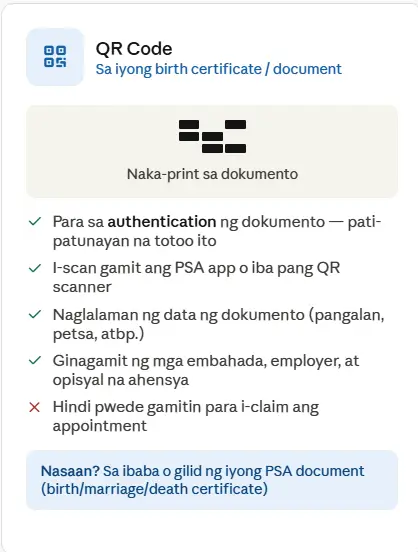
Booking Reference Number used by staff to manually cross-check your details if the scanner isn’t working
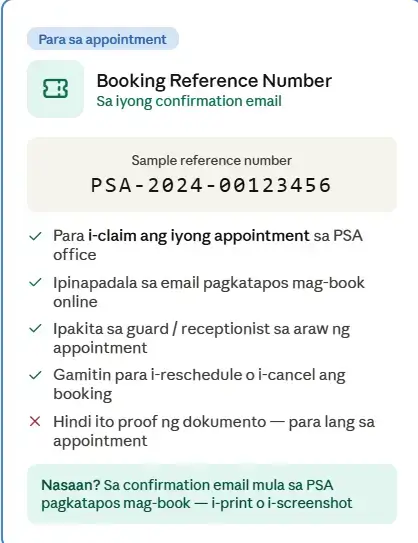
Any booking that doesn’t match PSA’s central database is flagged and cancelled on the spot. This is why bringing both your appointment slip and a valid ID is non-negotiable.
Didn’t Receive Your QR Code?
- Check your spam or junk folder first
- Search your inbox for “PSA” or “appointment confirmation”
- If it’s genuinely missing after 24 hours, cancel and rebook rather than showing up without it
PSA Online Appointment vs Express Delivery Which One Do You Need?
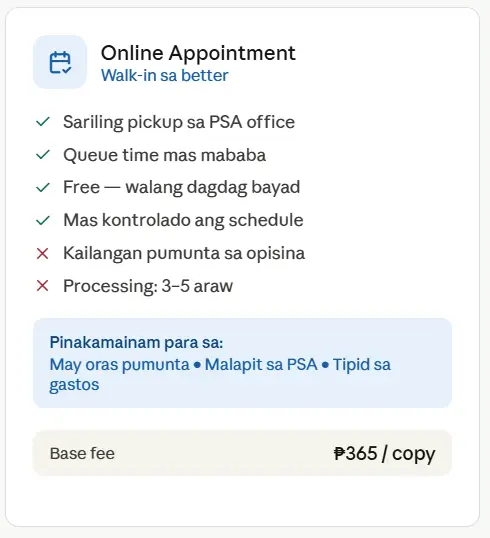
Before booking anything, decide which service actually fits your situation. There are two official routes to get your PSA civil registry documents.
Option A: Online Appointment You book a slot, visit the PSA outlet in person, and (in most cases) receive your document the same day.
Option B: Express Home Delivery You order through PSAHelpline.ph, the PSA’s authorized delivery partner, and your document is delivered to your home, office, or a pickup location like National Book Store or Robinsons.
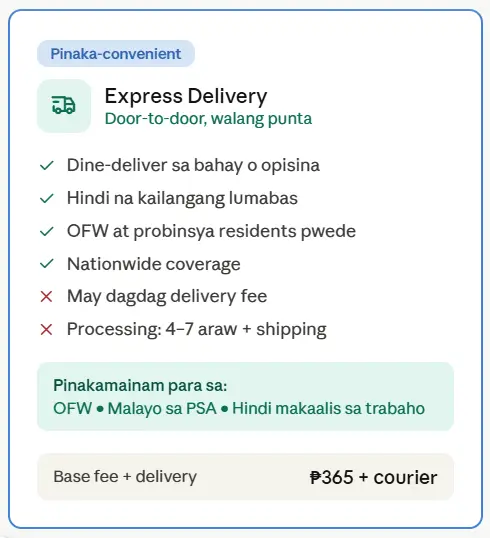
| Feature | Online Appointment | Express Delivery (PSAHelpline.ph) |
|---|---|---|
| Visit required | Yes | No |
| Processing time | Same-day (if slot available) | 2–8 working days |
| Best for | Corrections, complex concerns, urgent legal needs | Convenience, OFWs, busy schedules |
| Cost | Free booking + standard document fee | Document fee + delivery fee |
| Walk-in possible | No (appointment mandatory) | N/A |
Quick rule of thumb: If your document request is straightforward (no errors, no special cases), delivery is faster and easier. If you need corrections, appeals, or face-to-face help, book an online appointment.
Documents to Prepare Before Your PSA Appointment
Coming prepared is the difference between an in-and-out visit and getting turned away at the door. Here’s your checklist:
Pangunahing Dokumento
Pangunahing Dokumento
Kailangan ng lahat
- Booking Reference Number / Confirmation I-print o i-screenshot ang email confirmation mula sa PSA
- Valid government-issued ID Passport, driver’s license, UMID, Voter’s ID, or Postal ID. The name on this ID must match exactly what you entered during booking.
- Accomplished Application Form (PSA Form 1) I-download at punan bago pumunta — para makatipid ng oras sa linya
- Payment / Official Receipt ₱365 per copy bayad sa PSA cashier o online (GCash, credit card)
Kung Para sa Iba (Authorized Representative)
Kung Para sa Iba (Authorized Representative)
Dagdag na kailangan kung hindi ikaw ang personal na pupunta
- Authorization Letter Sulat na naka-sign ng may-ari ng dokumento na nagbibigay pahintulot sa representativ
- Valid ID ng Document Owner Photocopy ng valid ID ng taong pinagagawa ng dokumento
- Valid ID ng Representative Sariling valid government ID ng taong pupunta sa PSA bilang kinatawan
- Both physical and digital copies Keep a printout and a phone copy of everything, just in case one fails (printer issues, dead phone battery, etc.).
If Sending a Representative
If you can’t go in person, your authorized representative must bring:
- Original and photocopy of the document owner’s valid ID
- Original and photocopy of their own valid ID
- A signed authorization letter, SPA, or affidavit
Important: Authority cannot be re-delegated. If you authorize Person A, Person A cannot then authorize Person B. The maximum is one representative handling the request for up to two unrelated individuals.
PSA Gov Ph Online Appointment: Special Cases
Getting a PSA document is usually straightforward. But what if your situation isn’t?
Some people walk into the PSA appointment system with unique circumstances — a name discrepancy, a missing record, or a request on behalf of someone who can’t appear in person. These are called special cases, and the PSA has specific rules for handling each one.
Here’s what you need to know.
What Counts as a Special Case?
A special case is any request that goes beyond the standard “I need a copy of my own certificate” scenario.
Common examples include:
- Requesting a PSA document for a deceased person
- Requesting on behalf of a minor child
- Requesting on behalf of a spouse, parent, or sibling
- Documents with name mismatches or typographical errors
- Records that don’t appear in the PSA database
- Requests by authorized representatives or legal guardians
Each of these requires extra documentation — and in some cases, an in-person visit rather than an online order.
Requesting on Behalf of Another Person
You don’t have to be the document owner to request a PSA certificate. But you do need proof that you’re authorized to do so.
If you’re requesting on behalf of someone else, prepare the following:
- A signed authorization letter from the document owner
- A photocopy of the owner’s valid government-issued ID
- Your own original valid ID as the authorized representative
The authorization letter doesn’t need to be notarized for most standard requests. However, the PSA may require a notarized Special Power of Attorney (SPA) for more sensitive transactions — especially those involving legal, financial, or immigration purposes.
Requesting for a Deceased Person
If the document owner has passed away, a different set of rules applies.
Immediate family members such as a spouse, parent, child, or sibling — are generally allowed to request the PSA certificate of a deceased person. You’ll need to:
- Present proof of your relationship to the deceased (such as your own PSA birth certificate or PSA marriage certificate)
- Bring a valid government-issued ID
- In some cases, submit a death certificate of the person whose document you’re requesting
If you’re not an immediate family member, a Special Power of Attorney (SPA) from the next of kin will typically be required.
What If the Record Doesn’t Appear in the PSA Database?
This is one of the most stressful situations a person can face you need a PSA document, but the system shows “no record found.”
This doesn’t always mean the event (birth, marriage, death) was never registered. It may simply mean:
- The document was registered recently and hasn’t been transmitted to the PSA yet
- The record exists but has a name discrepancy that prevents a match
- The document is stored in older physical archives and hasn’t been digitized
In this case, the PSA will issue a Negative Certification an official document stating that no record was found. This is actually a useful document for purposes like delayed registration or court proceedings.
If you believe the record exists and should appear, you’ll need to follow up with the Local Civil Registrar (LCR) of the place where the event was registered.
Requests Involving Name Discrepancies
Name mismatches are more common than people think a missing middle initial, a misspelled surname, or a name that appears differently across documents.
When booking a PSA appointment with a name discrepancy concern, be prepared to:
- Bring all affected documents (e.g., both the ID and the PSA certificate showing different spellings)
- Present a PSA birth certificate as the primary reference for the correct name
- Understand that actual corrections require a separate process either an administrative petition (for clerical errors) or a judicial petition (for substantial changes) filed with the LCR
The PSA appointment itself won’t fix the discrepancy but the staff can advise you on the proper next steps.
Authorized Representatives: Who Qualifies?
Not everyone can walk in and request someone else’s PSA document. The PSA generally allows the following people to act as authorized representatives:
| Relationship to Document Owner | Documents Needed |
|---|---|
| Spouse | Marriage certificate + valid ID |
| Parent | Document owner’s birth certificate + valid ID |
| Adult child | Own birth certificate + valid ID |
| Sibling | Own birth certificate + valid ID |
| Legal guardian | Court order or guardianship papers + valid ID |
| Employer or institution | Authorization letter on official letterhead + valid ID |
| Other representative | Notarized SPA + authorization letter + valid IDs |
When in doubt, bring more documentation rather than less. PSA staff have the discretion to request additional proof if something seems unclear.
Tips for a Smooth Appointment in Special Cases
- Call ahead or check the PSA website before your appointment date to confirm what documents are needed for your specific situation.
- Bring originals and photocopies of all supporting documents some may be kept on file.
- Arrive early. Special case appointments may take longer to process than standard requests.
- Don’t book online if your case is complex. If your situation involves a missing record, a correction, or a legal guardian arrangement, an in-person visit to a PSA CRS outlet is the better route.
- Know the difference between a PSA appointment and an LCR visit. If your record doesn’t exist yet, the PSA can’t create it that work happens at the LCR first.
Can Special Cases Be Handled Online?
Some can, some can’t.
Standard authorized representative requests for example, a spouse requesting their partner’s PSA marriage certificate can usually be completed through PSA-authorized online platforms like PSAHelpline.ph. You submit the required authorization letter and ID details during the order process.
However, cases involving missing records, name corrections, or legal guardianship are almost always better handled in person at a PSA CRS outlet, where trained staff can guide you through the correct process.
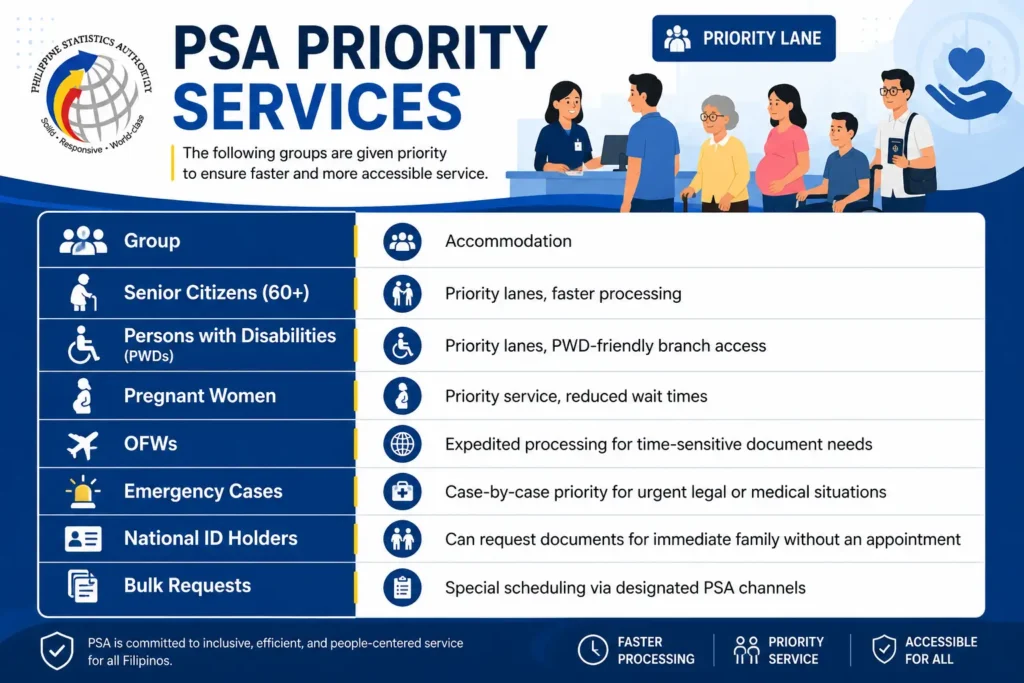
Priority Lanes Who Gets Special Access?
The PSA has built specific accommodations into its appointment system for citizens who need extra support.
A Note on Inclusive Access
If you hold a PWD ID or Senior Citizen ID, present it immediately upon arrival for priority service. Most branches are designed to be PWD-accessible, but if you have specific accommodation needs (wheelchair access, sign language assistance, etc.), it’s worth emailing the PSA hotline ahead of your visit so the branch can prepare.
A companion may accompany a senior citizen or PWD, but the companion will typically need to present their own ID for verification purposes.
For everyone outside these groups, the appointment is mandatory and non-transferable. Walk-in access without a confirmed slot is not permitted.
PSA Schedule: What to Do When No Slots Are Available
Finding no available appointment slots on the PSA Online Appointment System can be incredibly frustrating — especially when you need your PSA documents urgently. But don’t worry. There are practical steps you can take to secure a slot and get your documents without unnecessary delays.
Why PSA Appointment Slots Fill Up So Fast
Before diving into the solutions, it helps to understand why this happens.
The PSA Civil Registry System (CRS) outlets have a fixed number of appointment slots per day. These slots are released in batches, and demand is consistently high especially in Metro Manila outlets like the PSA Main Office in Quezon City and the Robinsons Galleria outlet.
Add to that the fact that many Filipinos are processing requirements for passport applications, visa applications, and government benefits at the same time — and it’s no surprise slots disappear within hours of being released.
What You Should Do When No Slots Are Available
1. Try Early in the Morning
PSA typically releases new appointment slots early in the morning often between 12:00 AM and 8:00 AM. Set an alarm and check the PSA Online Appointment System right at midnight or first thing in the morning. Slots that open up early in the day tend to get booked within minutes.
Pro tip: Use a desktop browser rather than a mobile browser for faster loading and a smoother booking experience on the appointment system.
2. Check Multiple PSA CRS Outlets
Most people default to the outlet nearest to them, but slot availability varies from outlet to outlet. If your nearest PSA CRS branch is fully booked, check other locations.
Here are some PSA CRS outlets you can check:
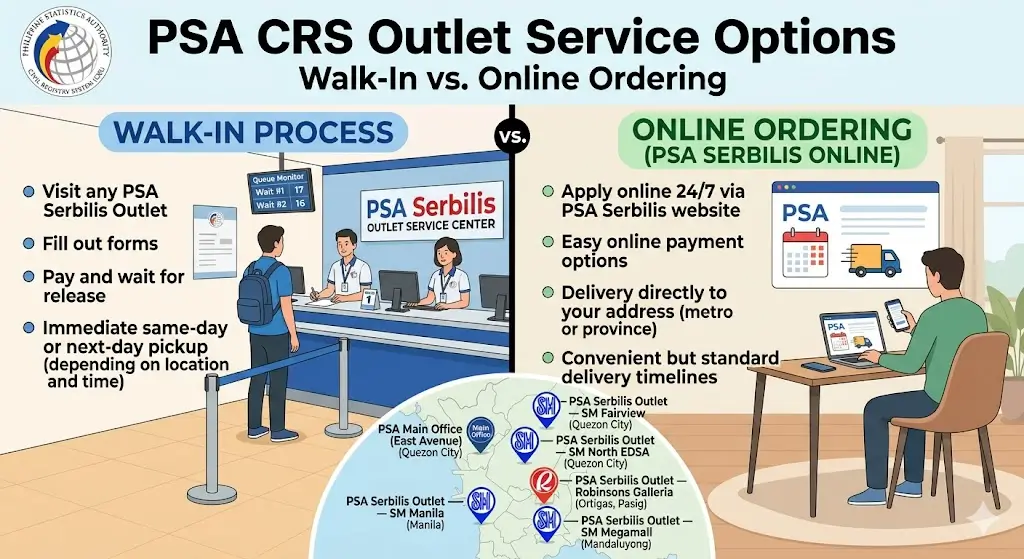
You are not required to book at the outlet closest to you. Any PSA CRS outlet can process your request regardless of where your documents were registered.
3. Keep Refreshing the Appointment Page
Cancellations happen. When someone cancels an existing appointment, that slot becomes available again — sometimes with little notice. Refresh the appointment page periodically throughout the day, especially in the afternoon when people are most likely to cancel or reschedule.
This takes patience, but it works more often than people expect.
4. Order Online Instead Skip the Appointment Entirely
This is the most practical option if your need isn’t specifically tied to a walk-in visit.
Authorized online platforms like PSAHelpline.ph allow you to order your PSA birth certificate, marriage certificate, death certificate, or CENOMAR without any appointment. You simply place your order online, pay, and wait for delivery to your home or office.
Comparison: Walk-In vs. Online Ordering
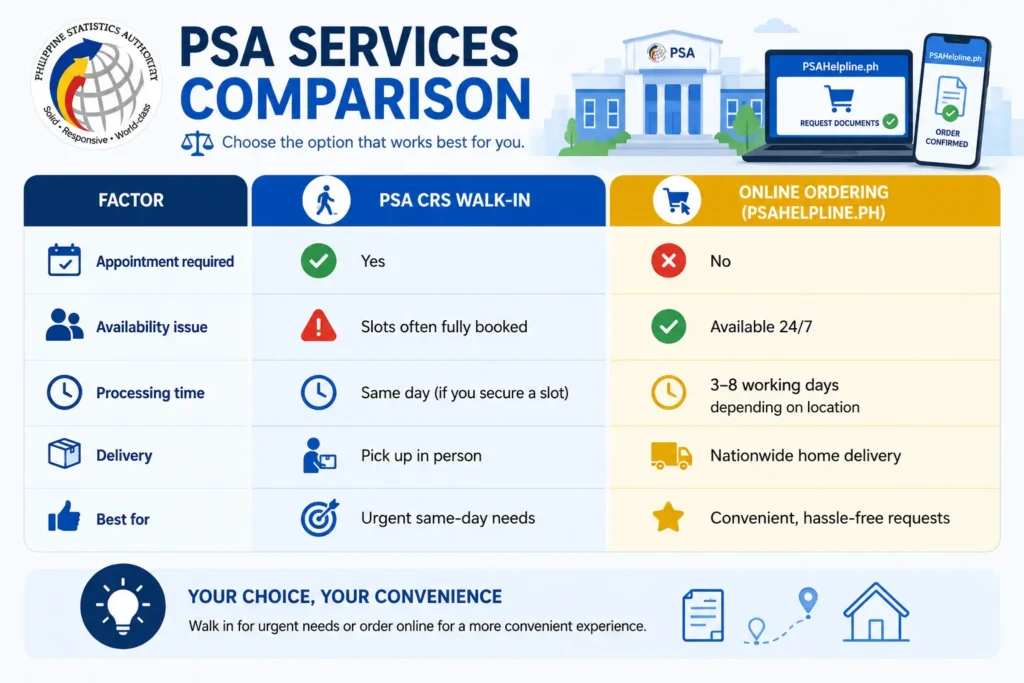
If you’re not in a rush for same-day pickup, online ordering is the smarter, stress-free choice.
5. Try Booking on Weekdays, Not Mondays
Mondays tend to have the highest demand since people book appointments after the weekend. If you’re trying to secure a slot, mid-week — particularly Tuesday through Thursday — often shows slightly more availability.
6. Check Back After Holidays
After long weekends and public holidays, PSA typically releases a fresh batch of appointment slots. Mark upcoming holidays on your calendar and log into the appointment system the day after to check for newly opened slots.
Common Mistakes That Delay PSA Appointments
Most rejected or delayed applications come down to small, avoidable errors. Here’s what to watch for:
| Mistake | Why It Matters |
|---|---|
| Writing in cursive or unclear handwriting | Forms must be in block letters to prevent misreading of names, dates, and places |
| Not double-checking entries | Errors in names or birth dates can lead to outright rejection |
| Leaving fields blank | Incomplete forms are the #1 cause of processing delays |
| Forgetting supporting documents | Missing IDs or authorization letters will stall your request entirely |
| Skipping signatures | Unsigned forms are not accepted under any circumstance |
| Name mismatch with ID | If your booking name doesn’t match your ID exactly, expect denial of service |
Real-world example: A common scenario is someone booking under “Maria Cruz Santos” but their ID reads “Maria C. Santos” a small discrepancy that can cause the QR code verification to flag the booking for manual review, adding significant wait time.
PSA Outlet Locations by Region
PSA CRS outlets are distributed across the country. Here’s a general overview always confirm exact addresses and current operating hours using the official PSA office locator before traveling.
| Region | Key Locations |
|---|---|
| National Capital Region | PSA Complex (East Avenue, Quezon City), plus six other Metro Manila outlets |
| Luzon | Baguio City, Pampanga, Batangas, Laguna, Cavite, Ilocos Norte, Cagayan, Isabela, Bulacan, Antipolo, Naga, Legazpi, and more |
| Visayas | Iloilo, Cebu, Bohol, Negros Occidental, Leyte, Samar, Antique, Capiz |
| Mindanao | Davao City, Cagayan de Oro, Zamboanga, General Santos City, Cotabato City, Surigao del Norte |
Always use the official PSA office locator tool before your visit. Outlet hours, services offered, and slot availability can change without notice.
PSA Services for Remote Areas
For Filipinos living far from a PSA branch, the agency has implemented several practical solutions:
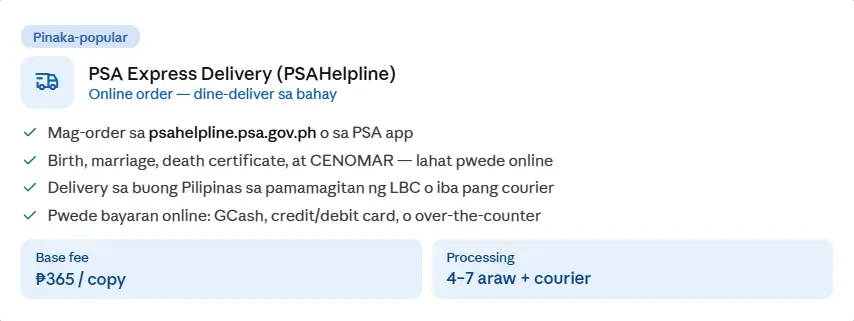
- PSA Express Delivery (PSAHelpline)
Get PSA certificates delivered directly to your doorstep.
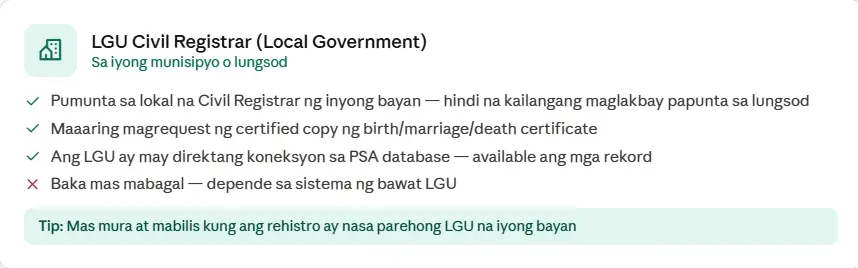
- LGU Civil Registrar (Local Government)
Provides civil registration services through local government offices.
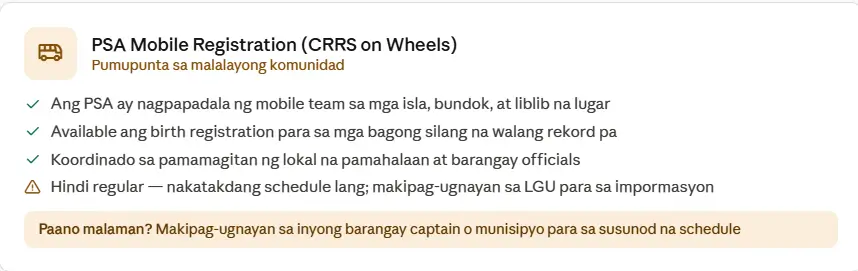
- PSA Mobile Registration (CRRS on Wheels)
Brings PSA registration services to remote and underserved communities.
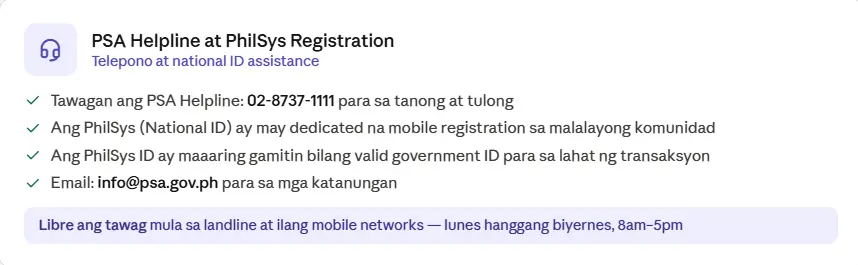
- PSA Helpline at PhilSys Registration
Offers PSA document assistance at selected PhilSys registration centers.
- Mobile PSA Services Teams periodically visit remote communities to process document requests and registrations on-site, saving residents significant travel time and cost.
- Satellite Offices Set up in municipal halls and barangay centers to assist with PSA online appointments, form-filling, and document inquiries particularly useful for areas without reliable internet access.
- Special Appointment Slots Reserved specifically for residents of remote areas to ensure fair access to booking.
- PSAHelpline.ph Nationwide Delivery As the PSA’s authorized partner, PSAHelpline.ph extends door-to-door delivery to even the most remote locations in the country.
Troubleshooting Common Appointment Issues
| Problem | Solution |
|---|---|
| No available slots | Check back early in the morning new slots are typically released at the start of the business day |
| Confirmation email not received | Check spam/junk folders first; if still missing after 24 hours, rebook |
| Technical glitches on the portal | Clear your browser cache, or try a different browser/device |
| Wrong information entered | You can’t edit a booking directly simply don’t attend (the slot expires) and book again with correct details |
| Forgot password or account issue | Use the password recovery option, or try booking as a guest if available |
Before Your Visit Final Checklist
- Keep both a digital copy and physical printout of your appointment slip and QR code
- Bring exact cash if paying on-site (speeds up the transaction)
- Plan your route in advance account for traffic, parking, or public transit delays
- Aim to arrive 10–15 minutes early (some experts recommend 30 minutes for first-timers)
- Check if your specific outlet has any dress code requirements
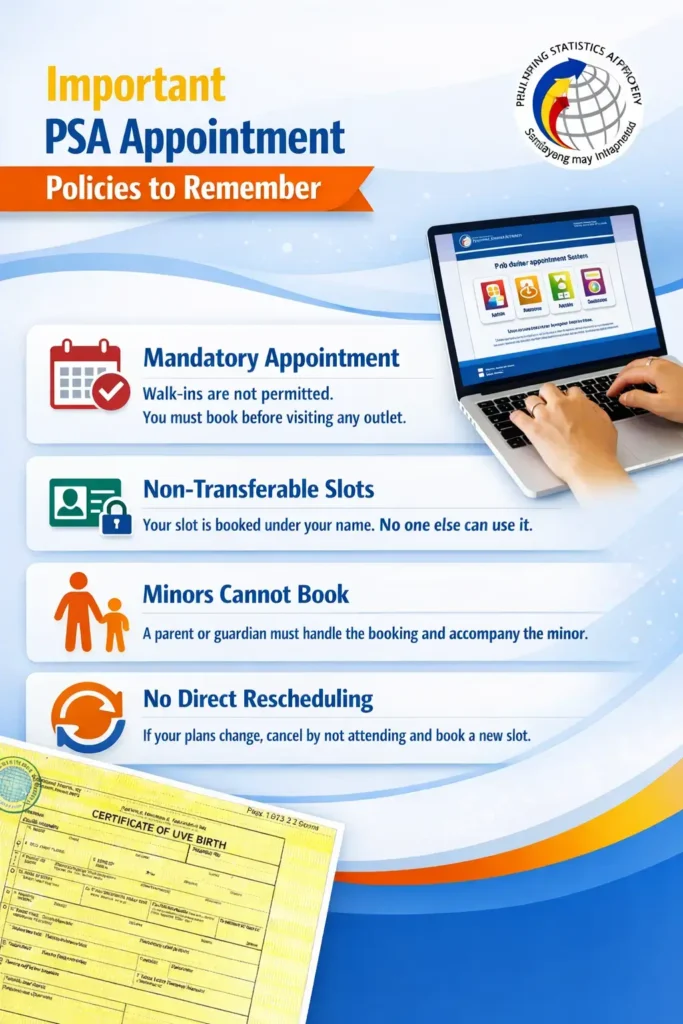
Important PSA Appointment Policies to Remember
Before scheduling your PSA appointment, it is important to understand the policies that apply to all applicants. Following these rules can help you avoid delays, appointment issues, and unnecessary repeat visits. The PSA appointment system is designed to manage applicant flow efficiently, which is why every visitor is expected to comply with the established guidelines.
Appointments are generally required before visiting a PSA outlet, and applicants should ensure that the information provided during registration is accurate and complete. The name and details used for booking should match the information shown on your valid identification documents. Any discrepancies may affect the verification process on the day of your appointment.
Applicants are encouraged to arrive on time and bring all required documents to avoid processing delays. If an appointment cannot be attended, it is advisable to check the latest PSA procedures regarding cancellations or new bookings. Parents or legal guardians may be required to assist minors with appointment-related transactions and document requests.
Understanding these policies in advance can help make your PSA visit faster, smoother, and more convenient while reducing the likelihood of common appointment-related problems.
Key Policies Every Applicant Should Follow
- Book your appointment using accurate personal information.
- Bring valid identification and supporting documents.
- Arrive before your scheduled appointment time.
- Review all appointment details before submission.
- Follow the instructions provided in your appointment confirmation.
- Check for updates or policy changes before your visit.
- Ensure that document requests meet PSA requirements.
Reminder: Always review your appointment details carefully to avoid delays or rescheduling on the day of your visit.
PSA Delivery: The Alternative to Appointments
Not everyone can take a day off work, commute to a branch, and wait in line. For those situations, PSA delivery through PSAHelpline.ph is the practical alternative.
PSAHelpline.ph is the official authorized partner of the Philippine Statistics Authority for nationwide online ordering and delivery of civil registry documents including birth certificates, marriage certificates, death certificates, CENOMAR, and CENODEATH.
Who Benefits Most from PSA Delivery
- OFWs and overseas Filipinos who need PSA certificates while abroad
- Senior citizens and PWDs who find branch visits physically difficult
- Busy professionals who can’t afford to take time off
- Students preparing enrollment or scholarship requirements
- Anyone who simply wants a secure, no-hassle way to get official documents
Advantages of PSA Delivery
| Advantage | Detail |
|---|---|
| Flexible delivery options | Receive documents at home or office anywhere in the Philippines |
| Guaranteed authenticity | All certificates processed through official PSA protocols |
| Cost savings | Eliminates transportation, meal, and lost work-hour expenses |
| Nationwide reach | Delivery extends to remote and provincial locations |
| Delivery timelines | 2–3 working days (Metro Manila); 3–8 working days (provinces) |
How to Order PSA Certificates Online
- Visit PSAHelpline.ph the official authorized delivery partner of the PSA
- Select your document type birth, marriage, death certificate, CENOMAR, or CENODEATH
- Fill out the online form ensure all details match PSA records exactly
- Enter your delivery address provide a complete, accurate address
- Pay securely credit card, debit card, online banking, or over-the-counter
- Receive your order confirmation includes a tracking number for real-time monitoring
- Wait for delivery 2–3 working days (Metro Manila) or 3–8 working days (provinces)
Delivery & Pickup Options
| Delivery Option | Details |
|---|---|
| Door-to-door delivery | Delivered anywhere in the Philippines on security paper (SECPA) via courier |
| Local pickup | Available at select National Book Store and Robinsons Department Store branches |
| International delivery | Overseas Filipinos can arrange delivery via DHL, FedEx, or preferred courier |
| Digital e-Certificate | Verifiable official PDF, downloadable via portal or GCash app |
When You Still Need a Branch Visit
PSA delivery handles most standard requests smoothly, but some situations genuinely require an in-person appointment:
- Your birth certificate or other civil registry document has discrepancies or errors that need correction
- You need to file an appeal that can’t be processed online
- You require face-to-face guidance on a complex or unusual case
- You need personalized support from trained PSA personnel
In these cases, booking a PSA online appointment ensures you get a scheduled time slot for dedicated assistance rather than relying on uncertain walk-in access.
Other Government Services Now Available Online
The PSA isn’t the only Philippine government agency that has digitized its services. If you’re navigating PSA appointments, you may find these useful too:
| Agency | Key Online Services |
|---|---|
| SSS | My.SSS portal registration, contributions, loans, benefits, records |
| GSIS | eGSISMO and GSIS Touch app loan applications, claims, benefits tracking |
| PhilHealth | My PhilHealth portal membership updates, benefits information |
| Pag-IBIG Fund | Virtual Pag-IBIG online membership, loans, savings payments |
| BIR | e-Filing of returns, tax registration, online payments, e-complaints |
| DFA | Online passport appointment system, e-Apostille request |
| NBI | Clearance application, renewal, and online appointment |
| LTO | LTMS Portal driver’s license, vehicle registration |
| DTI | Business name registration, renewals, updates |
| POEA | Online registration, job vacancies, recruitment verification |
Reminder: For your PSA online appointment confirmations and OTPs to arrive without delay, make sure your mobile number is properly registered under the SIM Registration Act. This takes just a few minutes and ensures smooth communication with government portals.
FAQs about PSA Online Appointment
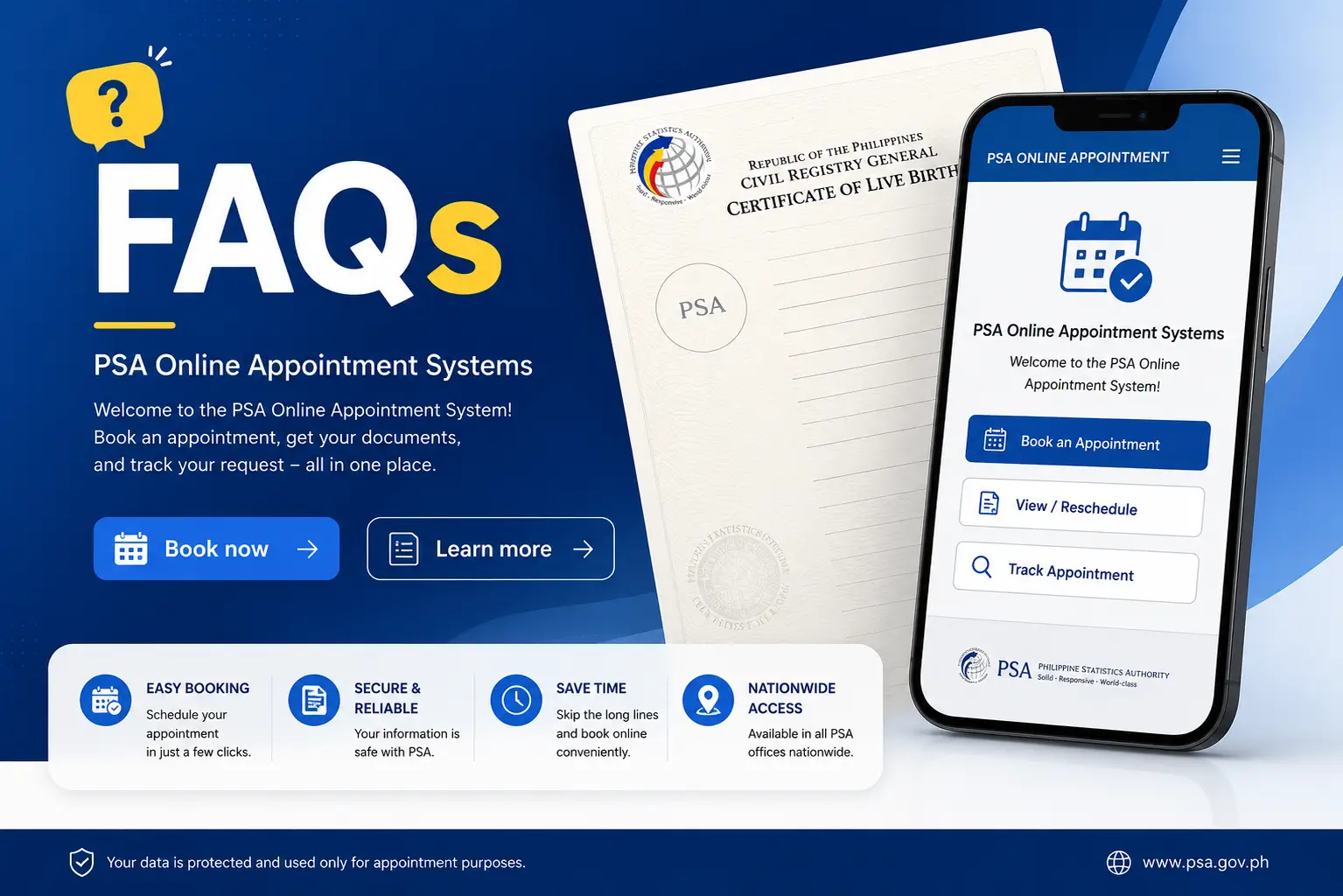
How do I get a PSA online appointment?
- Visit the official portal and click CRS Appointment
- State the purpose of your visit
- Select your document type (Birth, Marriage, Death Certificate, or CENOMAR)
- Enter your personal information accurately
- Verify your identity via OTP sent to your mobile number
- Choose your preferred PSA branch
- Pick an available date and time
- Review all details and confirm
- Save or print your QR code and appointment reference
Can you get a PSA birth certificate online without an appointment?
Yes. Through PSAHelpline.ph, you can order a PSA birth certificate along with marriage certificates, death certificates, CENOMAR, and CENODEATH without ever visiting a branch. Delivery options include door-to-door courier, local pickup at National Book Store or Robinsons, international courier for overseas Filipinos, and a downloadable digital e-Certificate.
Can I walk in at a PSA outlet without an appointment?
Generally, no. A confirmed online appointment is mandatory for standard requests at PSA CRS outlets. The exceptions are:
- Senior Citizens (60 and above)
- Persons with Disability (PWDs)
- Pregnant women
- Emergency medical or legal cases
- National ID holders (for immediate family requests)
If you don’t fall into one of these categories, you must book online before visiting.
How much does a PSA online appointment cost?
Booking is completely free. The PSA Civil Registry Service Appointment System does not charge any fee for scheduling. If anyone individual or website asks you to pay for an appointment slot, that is unauthorized. Do not engage with such offers.
What documents do I need for my PSA online appointment?
- Valid government-issued ID matching your booking name exactly
- Appointment slip with visible QR code
- Authorization documents (if requesting on behalf of someone else)
- Photocopies of all relevant IDs
- Any additional forms required for your specific transaction type
What’s the difference between a PSA online appointment and ordering a PSA certificate online?
| Feature | PSA Online Appointment | PSA Online Delivery |
|---|---|---|
| Visit required | Yes | No |
| Processing time | Same-day (if slot available) | 2–8 working days |
| Best for | Urgent requests, corrections, appeals | Convenience, remote access |
| Official service | Yes | Yes |
What happens if I miss my PSA appointment?
There’s no formal rescheduling option. If your plans change, simply don’t attend — the slot will expire — and book a new appointment with updated details if needed.
Can a minor book a PSA appointment?
No. Only individuals 18 years old and above can complete a booking. A parent or legal guardian must handle the appointment booking and accompany the minor to the branch.
What if my name doesn’t match exactly between my booking and my ID?
This is one of the most common causes of denied entry. Your name as entered during booking must match your valid ID exactly including middle names, suffixes (Jr., Sr., III), and spelling. Mismatches can result in your QR code failing verification and being asked to rebook.
Conclusion
Getting your PSA documents doesn’t have to be stressful once you understand the system.
If you need a same-day document and don’t mind visiting a branch: Book a PSA online appointment at appointment.psa.gov.ph, prepare your valid ID and printed/digital appointment slip with QR code, and arrive 10–15 minutes early.
If convenience matters more than speed: Order through PSAHelpline.ph for home delivery — ideal for OFWs, busy professionals, seniors, and anyone who’d rather skip the branch entirely.
Quick action checklist:
- Book early slots refresh each morning
- Double-check your name matches your ID exactly
- Save both digital and printed copies of your QR code
- Know which priority lane (if any) applies to you
- If your situation involves a correction or appeal, a branch visit is unavoidable book accordingly
With the right preparation, your PSA transaction whether in person or by delivery should be a smooth, one-time process.